

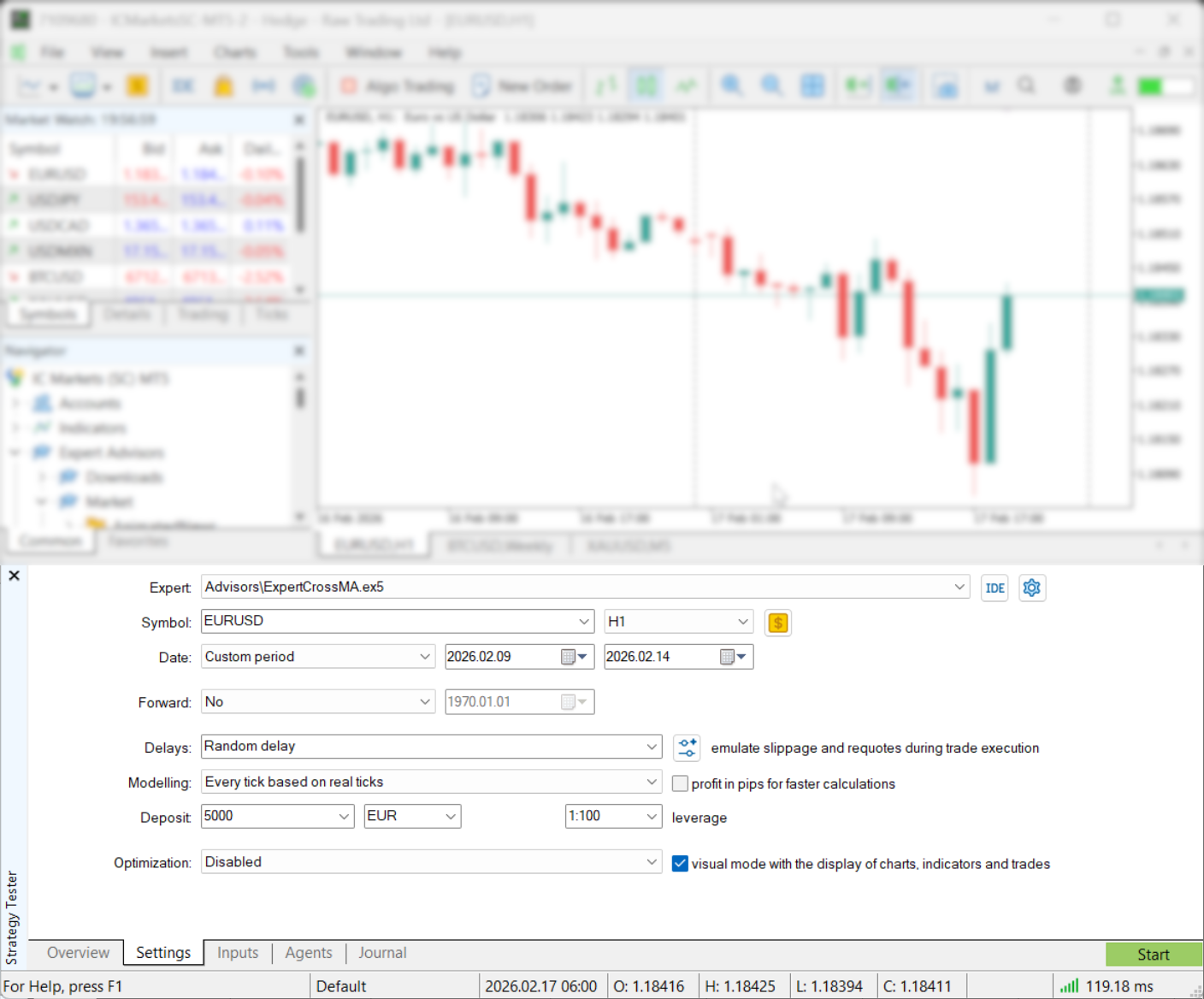
 Quick map:
- What “good” backtesting looks like
- Prepare MT5 so your test isn’t lying
- Pick the right modeling mode (speed vs realism)
- Make your assumptions realistic (spread, commission, delay)
- Run the backtest step-by-step
- Read the report like a grown-up
- Optimize without overfitting
- A simple routine (plus tools that keep you disciplined)
- External resources (official docs + deeper reading)
What “good” backtesting looks like in MT5
A useful backtest is not a profit number.It’s a simulation that matches your real constraints as closely as MT5 can: your instrument’s historical spread behavior, your commission structure, your margin/leverage rules, and how your strategy behaves when execution is imperfect.MT5’s Strategy Tester exists for one job: test (and optimize) Expert Advisors on historical data before you risk money live. It can also run indicator tests in visual mode.It’s also built to handle real-world complexity: multi-currency strategies, multi-threaded optimization using local agents, remote agents, and even the MQL5 Cloud Network if you choose to use it.Here’s the mindset shift that saves you months:The Strategy Tester is a calculator. Your settings are the inputs. “Clean” results do not mean “true” results.Prepare MT5 to backtest forex strategy in MT5 (so your test isn’t lying)
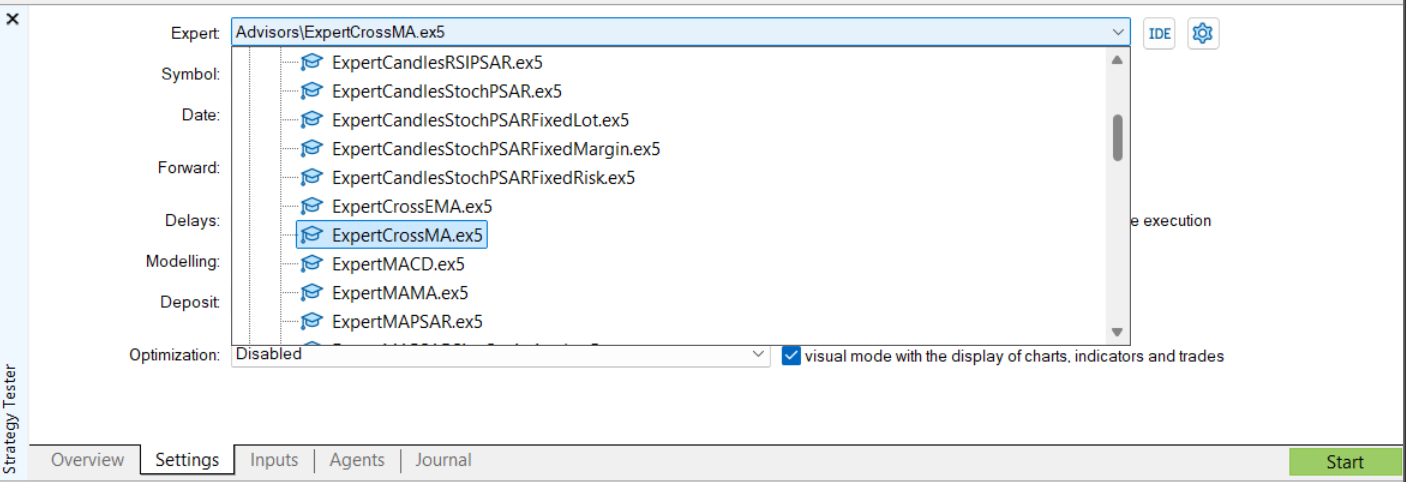
You can run a backtest in seconds. You can also waste a weekend because your data is incomplete (or your test quietly started later than you asked).Use this short checklist. It’s short because it’s the stuff that actually breaks tests.Confirm your EA is actually testable- Your EA should appear in the Strategy Tester program list. If it’s not selectable, you’re not testing anything yet.
- If you have the source code, MT5 can jump you straight into editing in MetaEditor from the tester. That’s handy when you’re iterating fast.
 Make sure your testing period is truly available
- MT5 will load a minimum amount of history depending on timeframe. On higher timeframes, the tester may shift your start date forward until enough bars exist (especially on D1/W1/MN1). That’s normal—but it can surprise you.
- Multi-currency EAs can pause while extra symbol history is downloaded mid-test. A practical workflow: open the charts you’ll need and scroll back to force the platform to download history ahead of time.
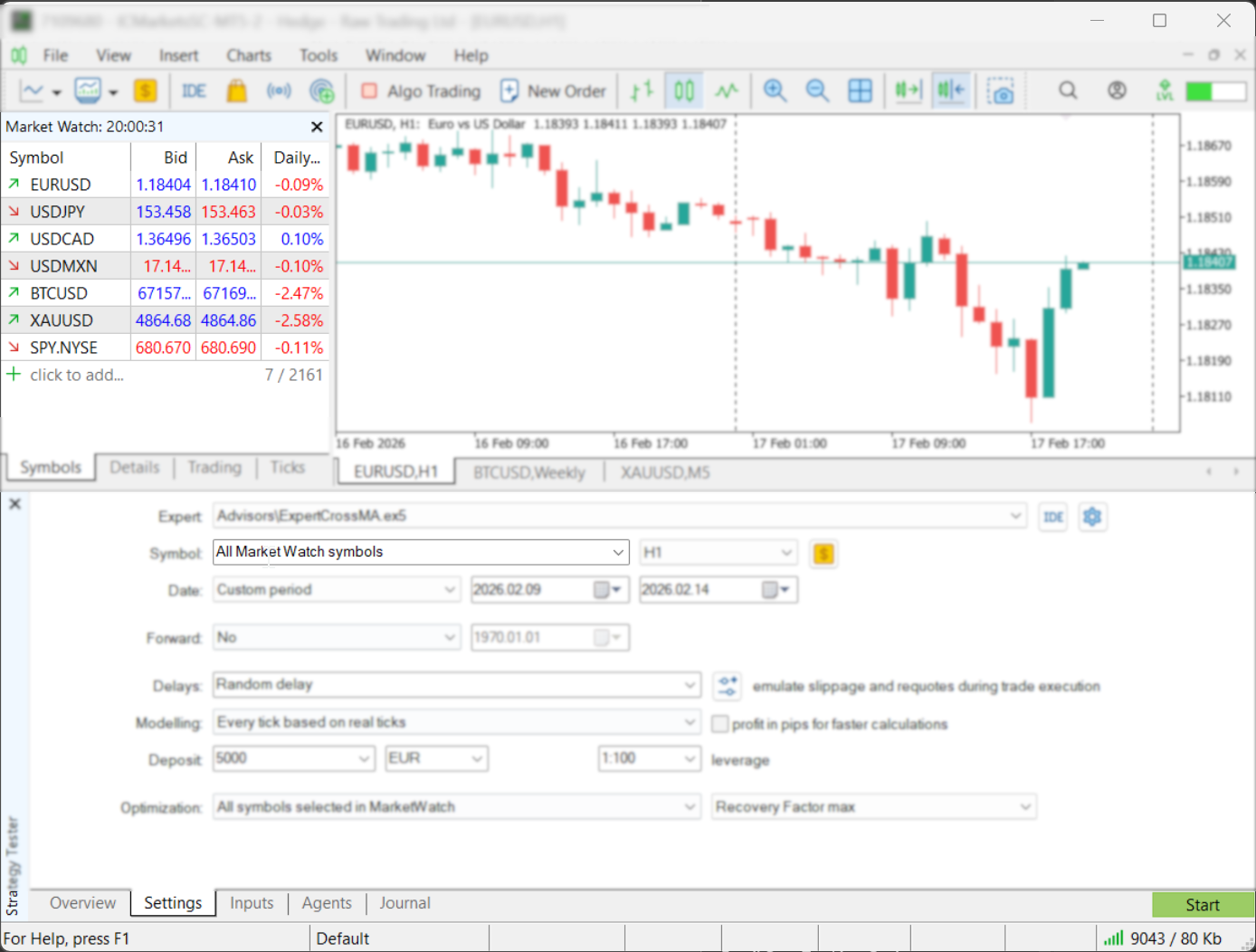
- Only symbols currently enabled in Market Watch are available for testing/optimization. Enable what you need before you start.
 Match account rules to reality
- Deposit and leverage matter because they influence margin usage (and therefore survivability during drawdown).
- MT5 lets you customize trading account parameters for testing—commission rules, margin settings, trading limits, risk model (OTC/exchange, netting/hedging), and even “no-trade sessions.” Use that power.
Pick the right modeling mode to backtest forex strategy in MT5 (speed vs realism)
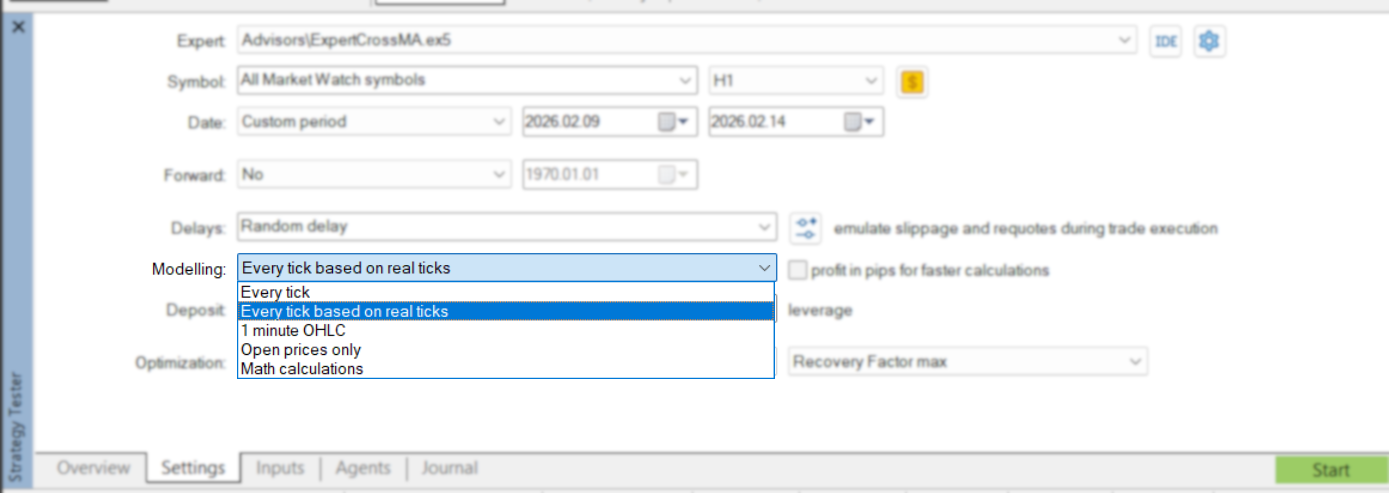
This is the biggest fork in the road.If your strategy cares about what happens inside a candle (tight stops, trailing stops, scalping entries, “price touches level then reverses”), you need tick realism. If your strategy only acts on bar open/close and ignores intrabar noise, you can sometimes use faster modes for screening—then confirm with ticks.| MT5 modeling mode | What it simulates | Use it for | Know the tradeoff |
|---|---|---|---|
| Every tick based on real ticks | Uses real ticks accumulated by your broker (maximum realism) | Final validation, scalpers, tight SL/TP, intrabar logic | First run can be slow because tick data is large and may need downloading |
| Every tick | Generates OHLC + intermediate ticks from minute records | Most intrabar strategies when real ticks aren’t available | More accurate than bar-based modes, but slower than OHLC/open-price modes |
| 1 minute OHLC | Generates only the 4 prices (O/H/L/C) of each M1 bar | Faster testing with partial intrabar structure | Less detail: no intermediate ticks; can hide micro-behavior |
| Open prices only | Calls OnTick only at bar open on the selected timeframe | Smoke tests, logic checks, fast optimization screening | Very easy to mislead yourself if triggers depend on intrabar movement |
 One nuance that many traders miss:Real ticks can change spread inside the minute. Generated ticks typically use the spread fixed for that minute bar (Ask is calculated as Bid plus that minute’s spread). That difference alone can change scalping performance dramatically.A practical rule:Use fast modes to debug. Use tick modes to judge performance. And if switching modes flips your results from “great” to “terrible,” that’s not a mystery—it’s a warning label.
Make your assumptions realistic when you backtest forex strategy in MT5
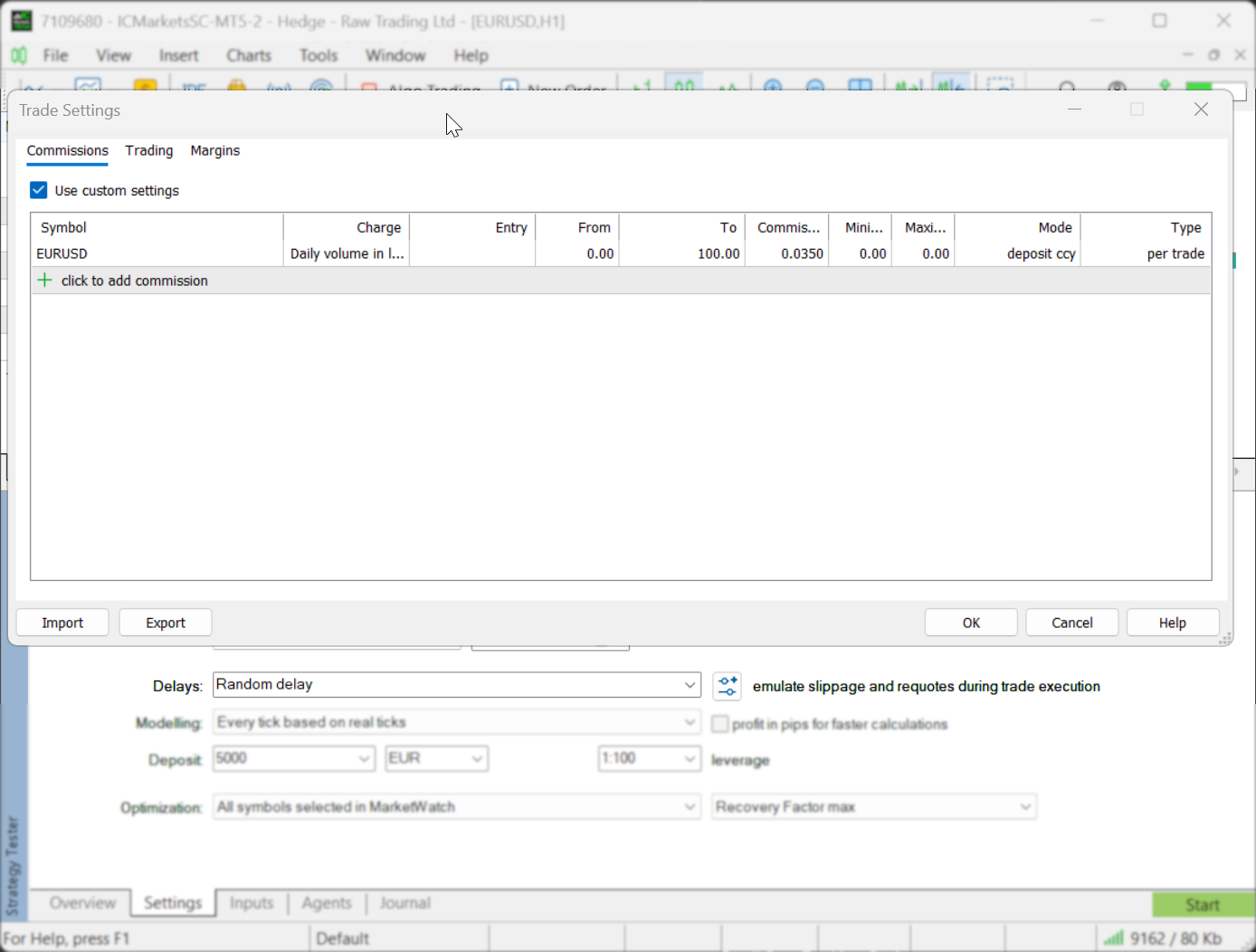 Most “holy grail” backtests are just low friction fantasies.Here’s what MT5 really does (and what you should do with that).Spread: it’s not a knob you casually turn
- In MT5 testing, spread is taken from historical data, and the tester treats spread as floating.
- If you test on real ticks, spread can fluctuate within a minute bar. If you test on generated ticks, spread behavior is simplified (often fixed within the minute).
- MT5 lets you simulate commissions using Advanced Testing Settings, and you can also use predefined commission settings from your current account. If your live trading pays commission, your backtest should too.
- MT5 can emulate network delays during EA operation by inserting time between a trade request and its execution. That delay can be none (ideal), random, or fixed (including matching measured ping).
- Important nuance: delays apply to EA trade requests (placing/modifying orders, stops, etc.). If the EA uses pending orders, the delay applies to placing the order, not to server-side execution—because in reality that execution happens on the server without your network delay.
Run a backtest forex strategy in MT5 step-by-step (repeatable workflow)
Consistency beats cleverness.If you run tests with slightly different settings each time, you won’t know what changed—the strategy or the environment. MT5 helps you stay consistent: you can save settings presets, and even copy current tester settings to the clipboard (Ctrl+C) to reuse or archive.Step-by-step workflow- Open the Strategy Tester Use Ctrl+R to open/close the Tester window.
- Select your EA, symbol, timeframe, and date range
Choose the instrument and timeframe the strategy was designed for. Then set a date range. Two details that matter more than people think:
- Testing starts and ends at 00:00:00 of the selected dates; the start date is included, the end date is not.
- If you set an end date beyond the current date, MT5 will still only test up to the current date (not including it).
- Pick the modeling mode Use the table above. When in doubt, validate with “Every tick based on real ticks.”
- Set account realism Match leverage and account rules because they affect margin and drawdown survivability. Use Advanced Testing Settings for commissions, margin/risk model, and trading limits if needed.
- Do a short “sanity test” first Run 1–4 weeks just to confirm the EA behaves the way you believe it does. This is where you catch obvious mistakes fast.
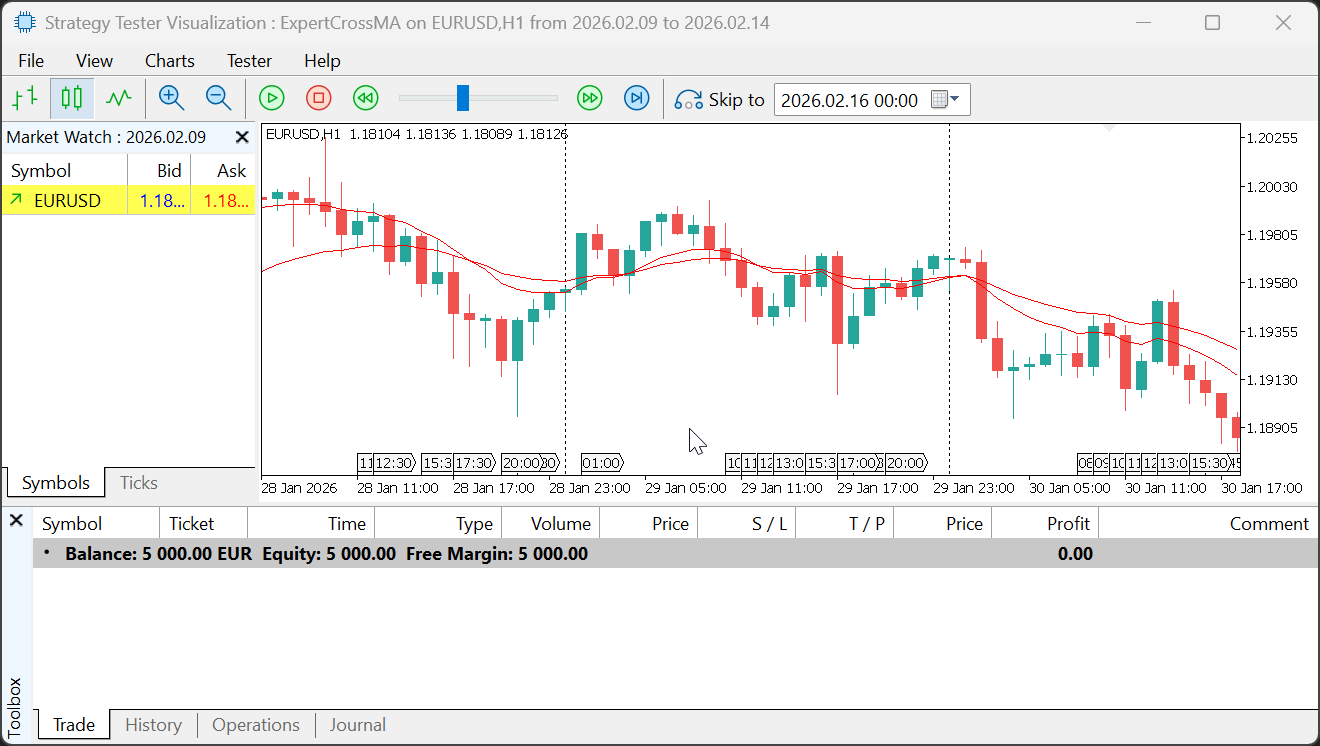
- Use visual mode for debugging
Visual testing lets you watch trades print on the chart and see what the EA did, when, and why. Constraints: visualization only works in testing mode (not optimization), and it must run on a local agent (not a remote agent).

- Then run the “real” test Switch to a tick mode and test across multiple market conditions (years, not weeks). If your strategy is meant to generalize, repeat on at least one more symbol.
- Add a forward period (optional but smart) MT5 can split your chosen date range: first part = backtest, second (latest) part = forward period. The start of the forward segment is marked on the chart, and results appear in a separate Forward tab.
tester.tpl template, MT5 will apply it automatically. That makes reviews faster and more consistent.
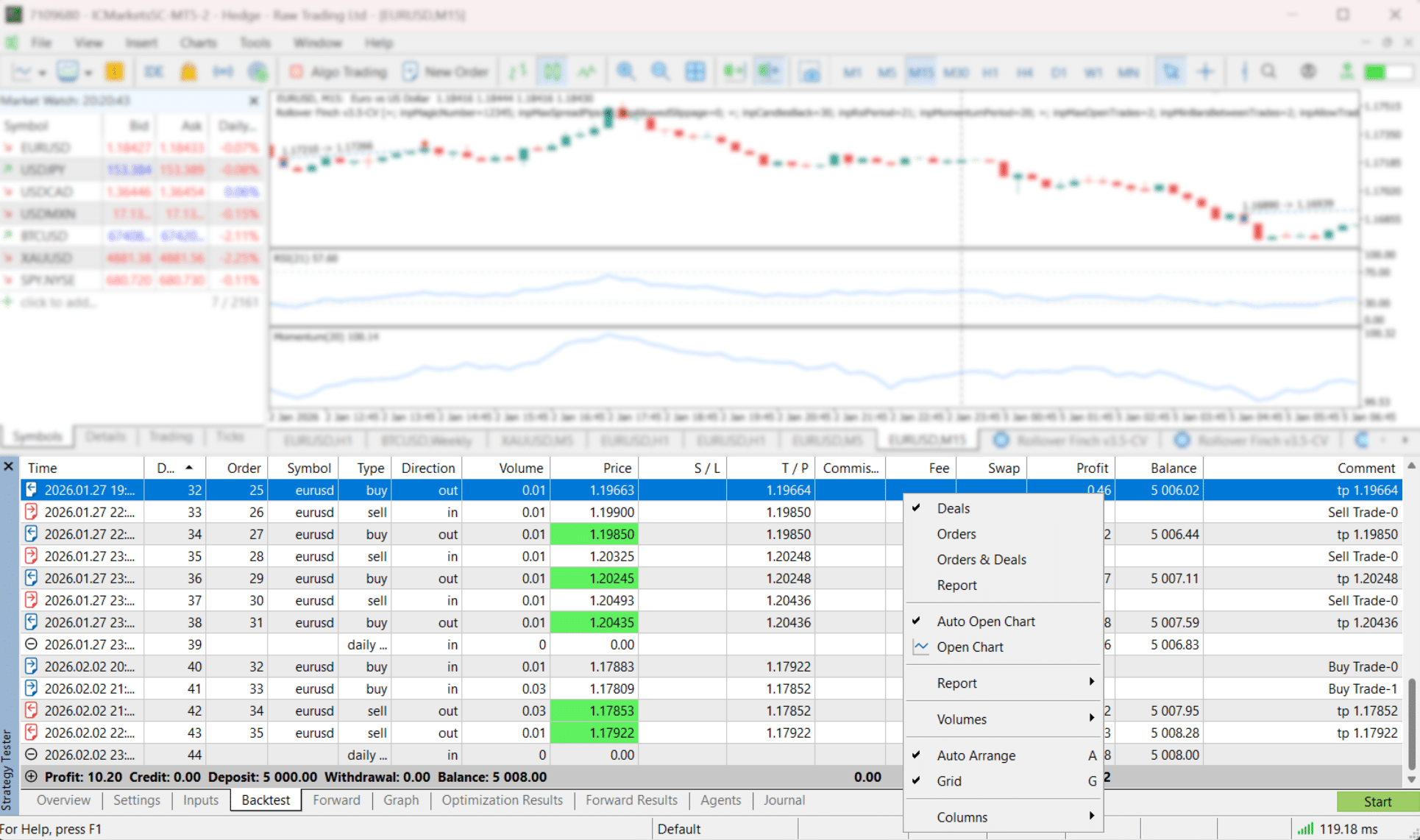
How to read the MT5 report without fooling yourself
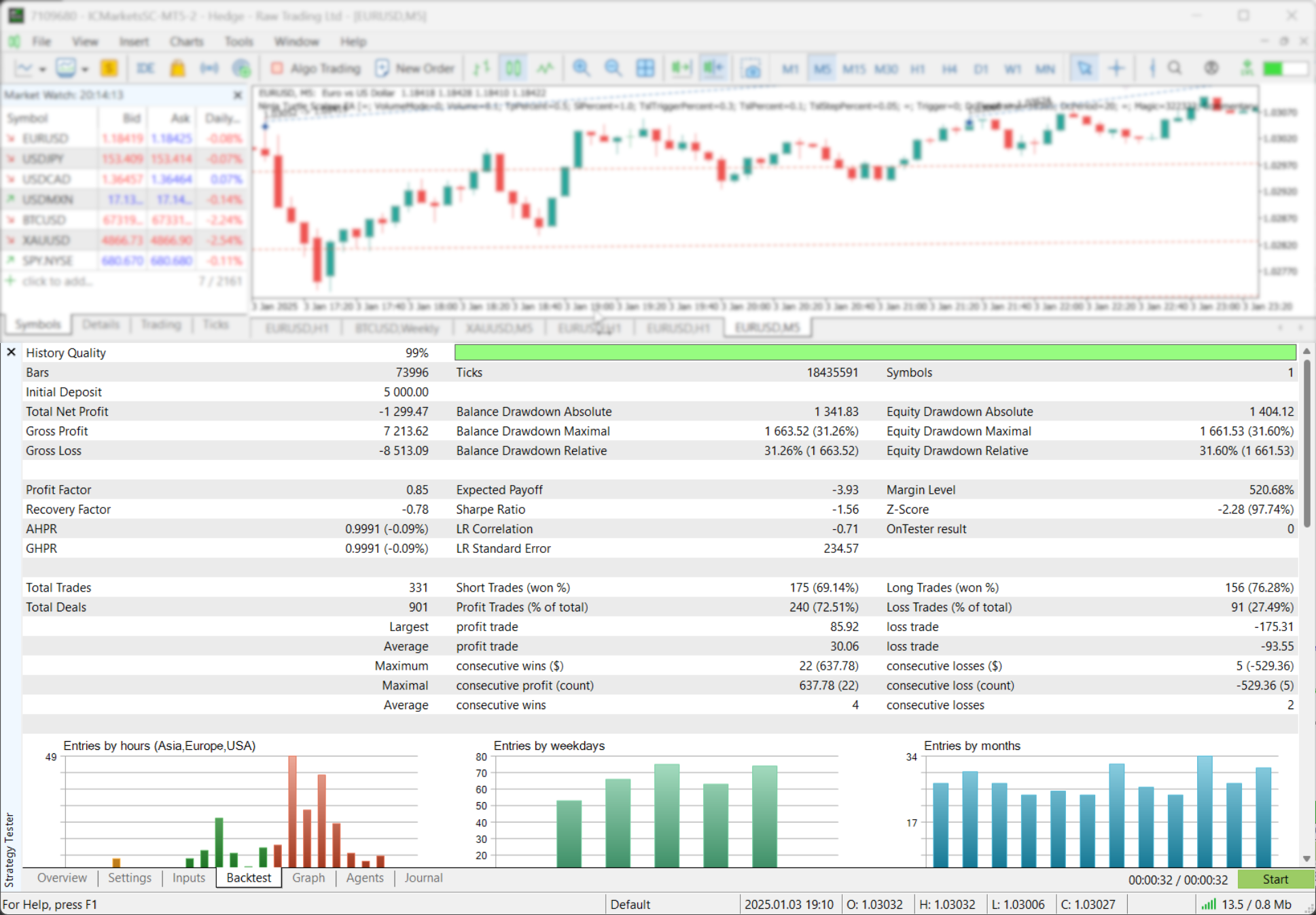
Start with the curve, not the profit.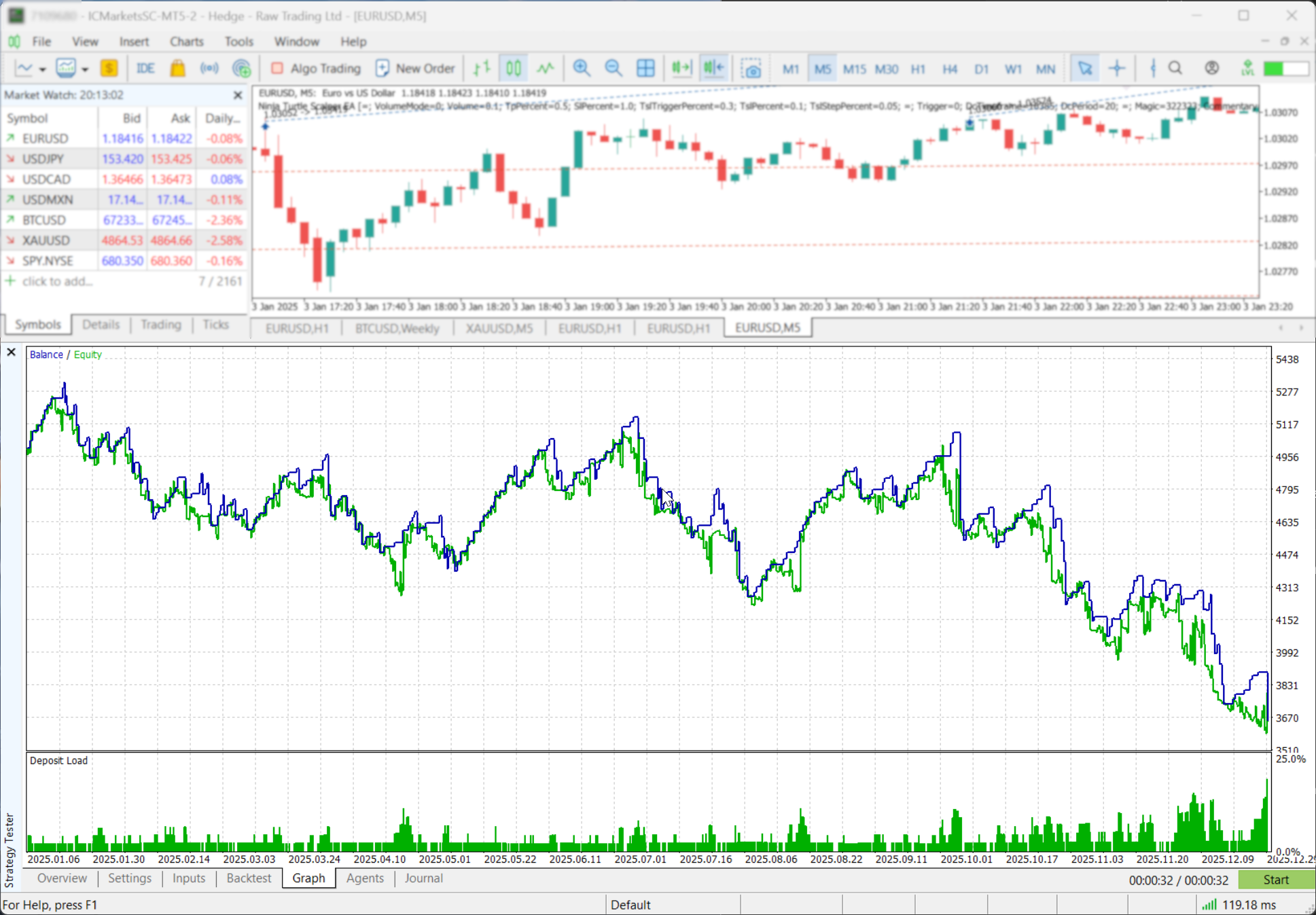 The Graph tab shows balance and equity curves, plus a histogram of deposit load (margin/equity). That last one is basically your strategy’s “how close to the cliff did you walk?” meter.Then open the report and focus on risk.History Quality matters—but only if you understand what it meansMT5’s “History Quality” in the report is a measurement of the one-minute data quality used for testing (including gaps). So “100%” is good, but it’s not a magical stamp of predictive power. It’s a data-integrity clue.Profit Factor is real math, not a vibeMT5 defines Profit Factor as gross profit divided by gross loss; 1.0 means you made as much as you lost. Useful, but only meaningful with enough trades and tolerable drawdown.Use a simple “sanity scan”
- Drawdown: MT5 reports multiple definitions (balance/equity, absolute/max/relative). Pay attention to the worst realistic one for how you trade.
- Sample size: a strategy with 30 trades can lie to you. A strategy with 3,000 trades can still lie—but it has to work harder.
- When it wins/loses: MT5 includes distributions (entries by hour, weekday, month). If your strategy only works in one slice of time, that’s not “edge.” That’s a narrow dependency.
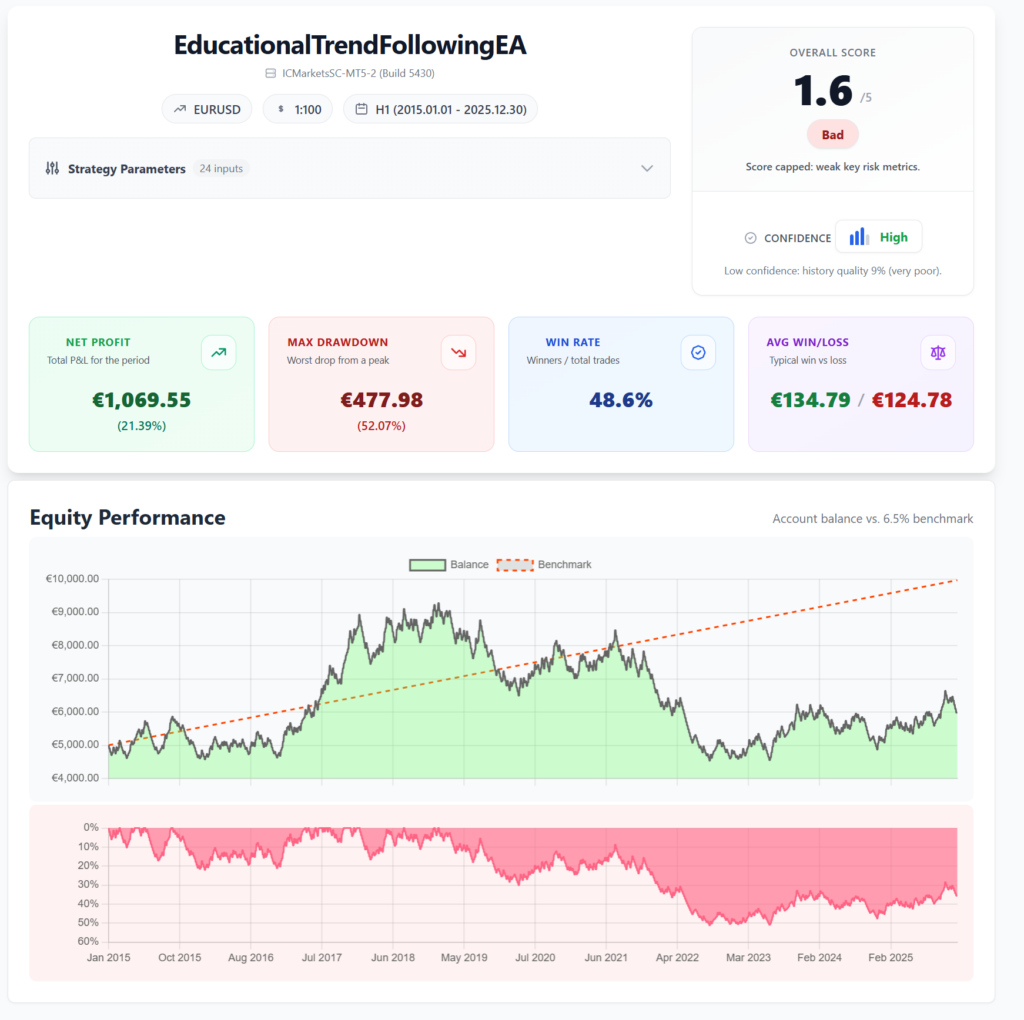
 If you want cleaner analysis and prettier charts than the default export, I built a simple workflow for that here:
MT4/MT5 backtest reports that are actually readable.
It’s designed to turn the messy HTML export into something you can review (and share) without squinting.
If you want cleaner analysis and prettier charts than the default export, I built a simple workflow for that here:
MT4/MT5 backtest reports that are actually readable.
It’s designed to turn the messy HTML export into something you can review (and share) without squinting.
Optimization in MT5 without overfitting (powerful, but dangerous)
Optimization is powerful because it’s fast.Optimization is dangerous because it’s fast.MT5 optimization runs the EA many times with different parameter sets so you can select the most appropriate combination. MT5 also gives you 2D and 3D tools to visualize optimization behavior, not just “best result.”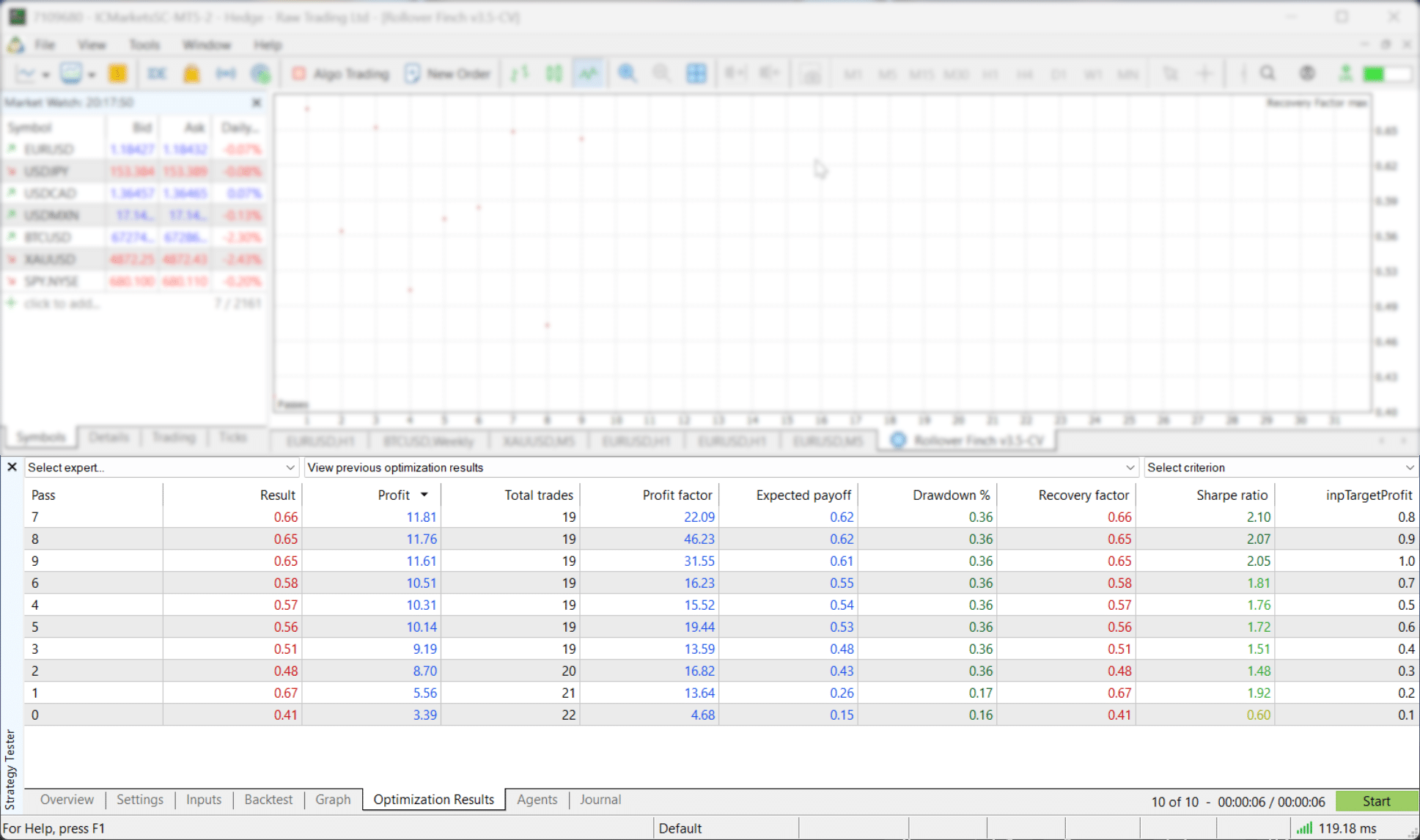
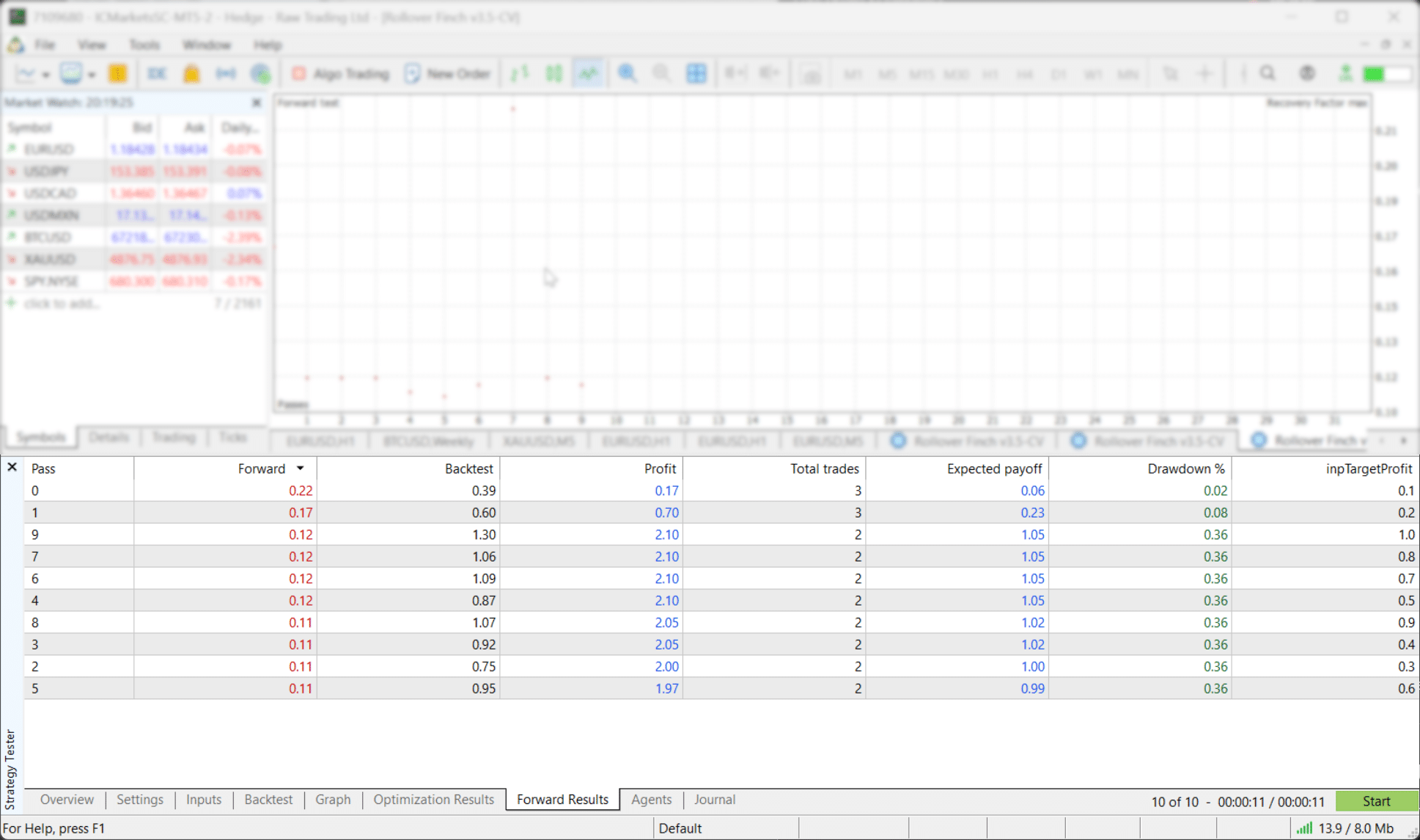
- After optimization, MT5 selects the top 10% of runs (full search) or 25% (genetic algorithm) for forward testing.
- There’s also a lower limit: if there are fewer than 256 best runs, MT5 adds more until forward testing reaches 256 (or uses all runs if fewer exist).
A simple backtesting routine you can repeat weekly
If you want a process that actually holds up, do this:- Short test (fast mode) to confirm logic.
- Visual test (optional) to see trades and spot “wait… why did it do that?” moments.
- Long test (tick mode) for performance + drawdown reality.
- Forward segment (in tester) to check stability.
- Second symbol (if your strategy claims it’s not pair-dependent).
- Your dates “worked,” but the tester silently shifted the start. Fix: ensure enough history exists for that timeframe (especially W1/MN1) and confirm the actual tested range.
- You judged performance on Open prices only. Fix: use it for smoke tests, not final decisions—then validate with tick-based modeling.
- You ignored execution friction. Fix: add fixed or random delays to see whether your edge survives reality.
- Your multi-symbol EA “hangs” or behaves oddly. Fix: pre-download symbol history and enable needed symbols in Market Watch before testing.
- Strategy Checklist helps you keep your rules in your face during visual review (and live trading).
- Multi-timeframe context tools like MTF Triple Moving Averages and MTF Bollinger Bands are useful when you’re validating “higher timeframe alignment” claims during backtests.
- Scanners can help you quickly find where conditions occur across symbols (instead of hunting manually).
- If you’re moving from backtest → demo → live, Equity Tracker MT5 sends monitoring alerts to Telegram and Discord so you can’t pretend you “didn’t notice” a drawdown. It’s monitoring only (it does not open or close trades).
External resources (official docs + deeper reading)
If you want the official reference for how MT5 handles testing/optimization (and the exact meaning of features like execution delay and forward testing), these are the best starting points:- MetaTrader 5 Help: Strategy Testing (official)Includes how the Strategy Tester works and details like execution delay emulation.
- MetaTrader 5 Help: Strategy Optimization (official)Explains optimization methods and forward-testing selection behavior.
- MQL5 Article: Testing trading strategies on real ticksA practical deep dive into why modeling modes can change results.
- StrategyQuant: Why data quality matters in backtestingBroader perspective: your results can only be as good as your historical data.
Final reminder: Backtesting is a filter, not a prophecy. Use it to kill weak ideas quickly, then pressure-test the survivors with realistic settings and out-of-sample validation. If you want to backtest forex strategy in MT5 like a professional, make “realism + validation” the default, not the optional upgrade.