

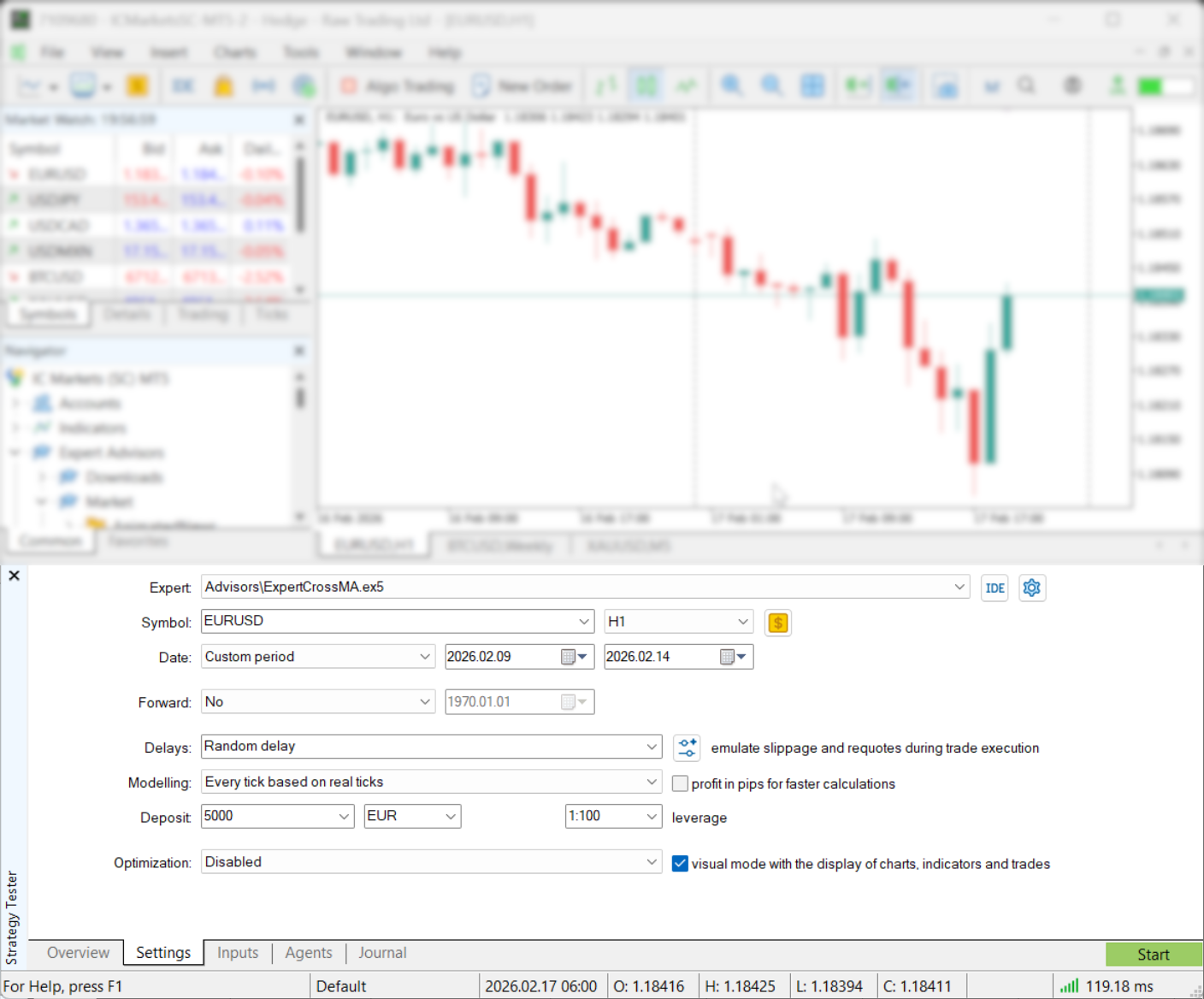
 Quick map:
- What good backtesting looks like
- Prepare MT5
- Pick the right modeling mode
- Get 100% modeling quality
- Use realistic costs and execution
- Run the test
- Read the report
- Optimize without curve fitting
- Simple routine
- Resources
What good backtesting looks like in MT5
A useful backtest is not just a profit number. It is a simulation with realistic data, account rules, costs, and execution. MT5 can test Expert Advisors, run visual checks, optimize settings, and split results into backtest and forward periods. Think of Strategy Tester as a calculator. Your settings are the inputs. Clean results do not mean true results.Backtest trust chain
| History data | Modeling mode | Costs + delay | Forward check |
Prepare MT5 so your test is not lying
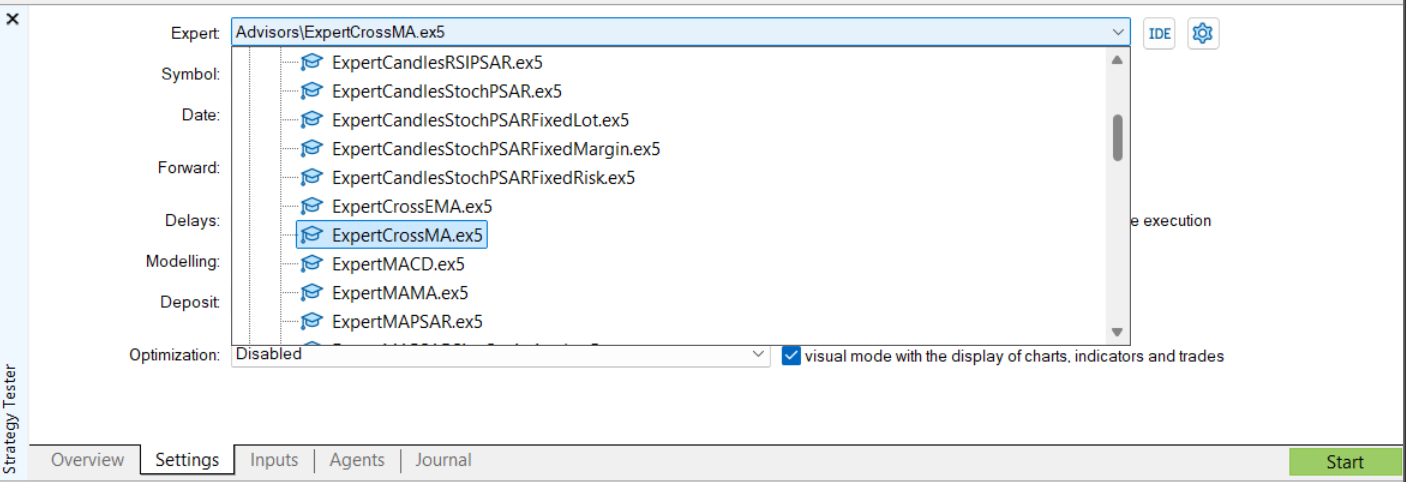
Use this short checklist before judging any EA. Confirm the EA is testable- The EA must appear in the Strategy Tester program list.
- If it is missing, compile it first or check the file location.
 Load enough history
- MT5 can shift the real start date forward if older bars are missing.
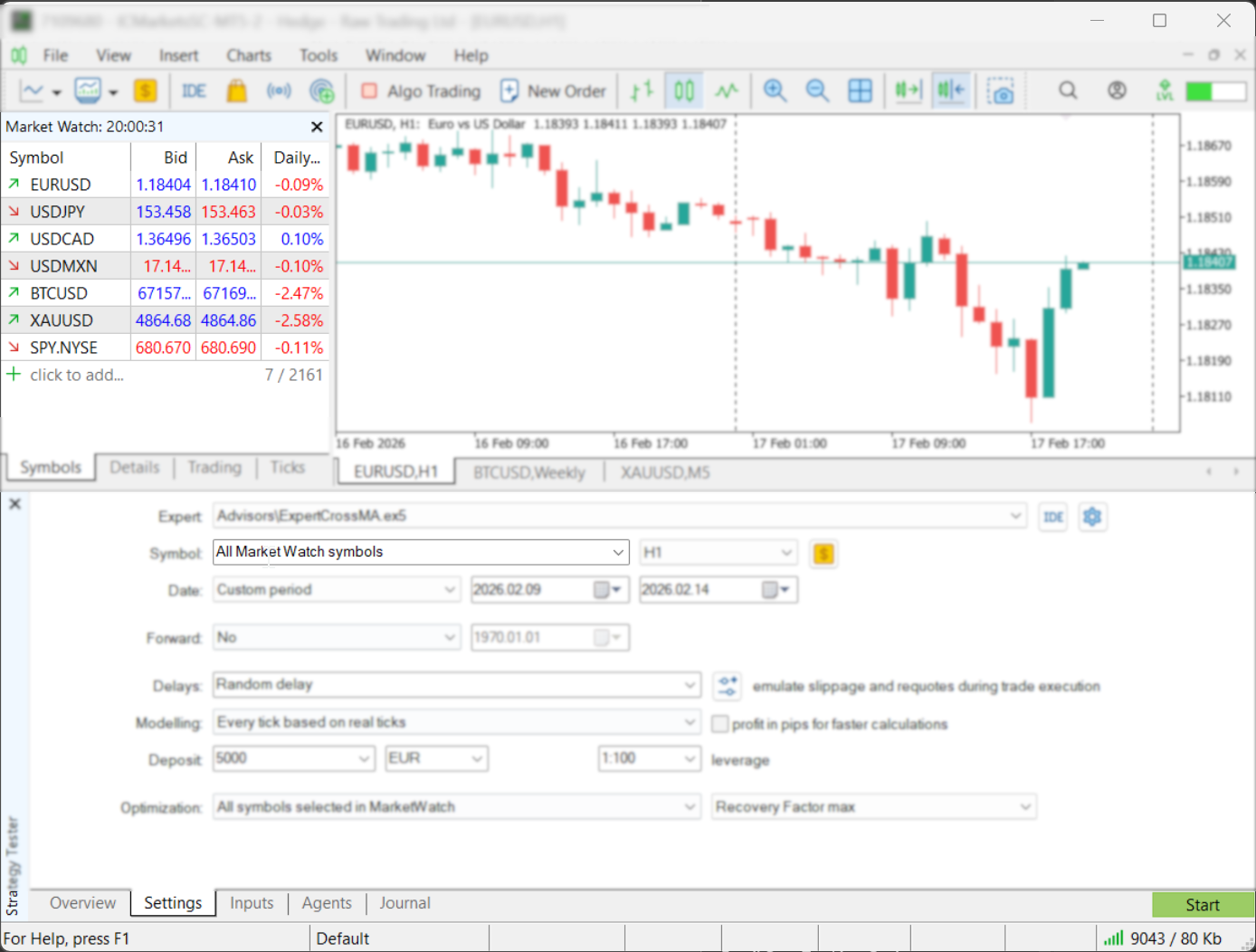
- For multi-symbol EAs, enable every symbol in Market Watch and preload history.
- Open each needed chart and scroll back before testing.
 Match account rules
- Use the same deposit, leverage, commission, and symbol type you expect live.
- Margin rules matter. A profitable curve can still fail from margin pressure.
Pick the right modeling mode
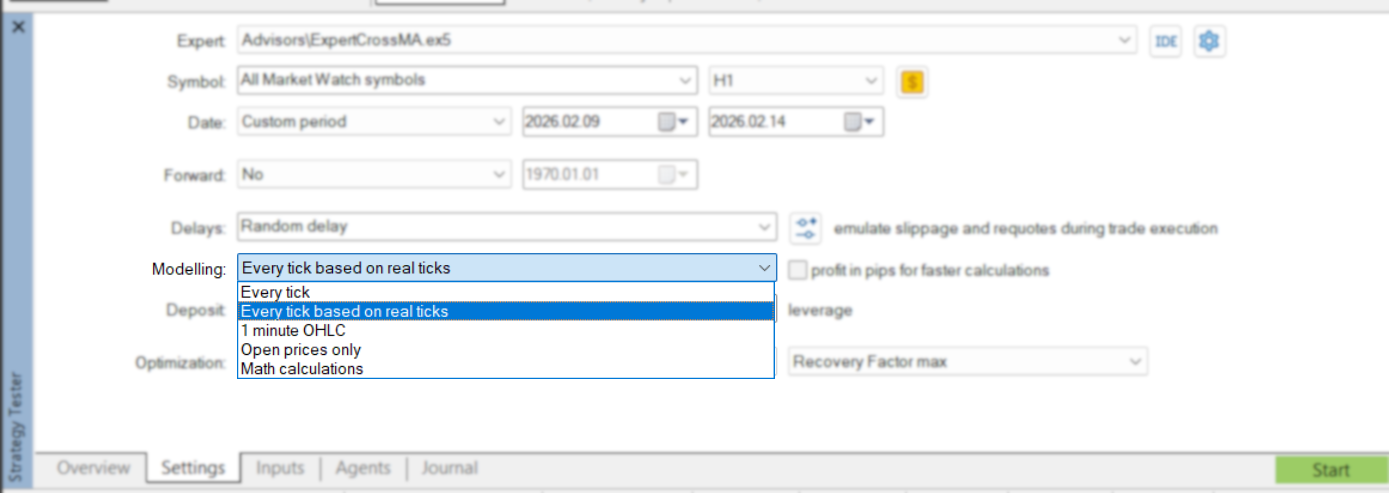
If your EA reacts inside a candle, use tick testing. This includes scalping, tight stops, trailing stops, stop orders, and level-touch logic.| Mode | Use for | Risk |
|---|---|---|
| Every tick based on real ticks | Final validation, scalpers, tight SL/TP | Slow first run, depends on broker tick history |
| Every tick | Intrabar testing when real ticks are unavailable | Ticks are generated from M1 data |
| 1 minute OHLC | Fast screening | No full tick path inside the minute |
| Open prices only | Smoke tests and bar-open systems | Misleading for intrabar logic |
Speed vs realism
| Open prices only Fastest |
1 minute OHLC Fast screen |
Every tick Generated ticks |
Real ticks Final check |
How to get 100% modeling quality in MT5
100% modeling quality means the tester had complete, consistent history for the selected symbol and period. It does not mean the strategy will work live. For serious MT5 tests, do not rely blindly on default broker history. Broker history can be incomplete, short, or different from the feed you want to simulate. For 99%+ or 100% quality, use high-quality real tick data with variable spread. Best workflow- Get real tick data from a dedicated source or tool, such as Quant Data Manager, Tick Data Suite, Tickstory, or another trusted tick provider.
- Export both M1 bars and tick data. MT5 needs clean minute bars plus matching ticks for high-quality custom-symbol tests.
- In MT5, create a custom symbol. Copy settings from your broker symbol where possible: digits, contract size, stops level, margin, sessions, and profit currency.
- Import the M1 bars, then import the tick data for the same symbol and date range.
- Set spread correctly. If your tick data includes variable spread, use floating spread settings instead of a fixed spread.
- Run the backtest on the custom symbol with Every tick based on real ticks.
- Check the Strategy Tester Journal and final report for gaps, sync errors, and history quality.
High-quality tick test flow
| 1. Download real ticks |
2. Import M1 + ticks |
3. Use real-tick mode |
4. Check report quality |
Use realistic costs and execution
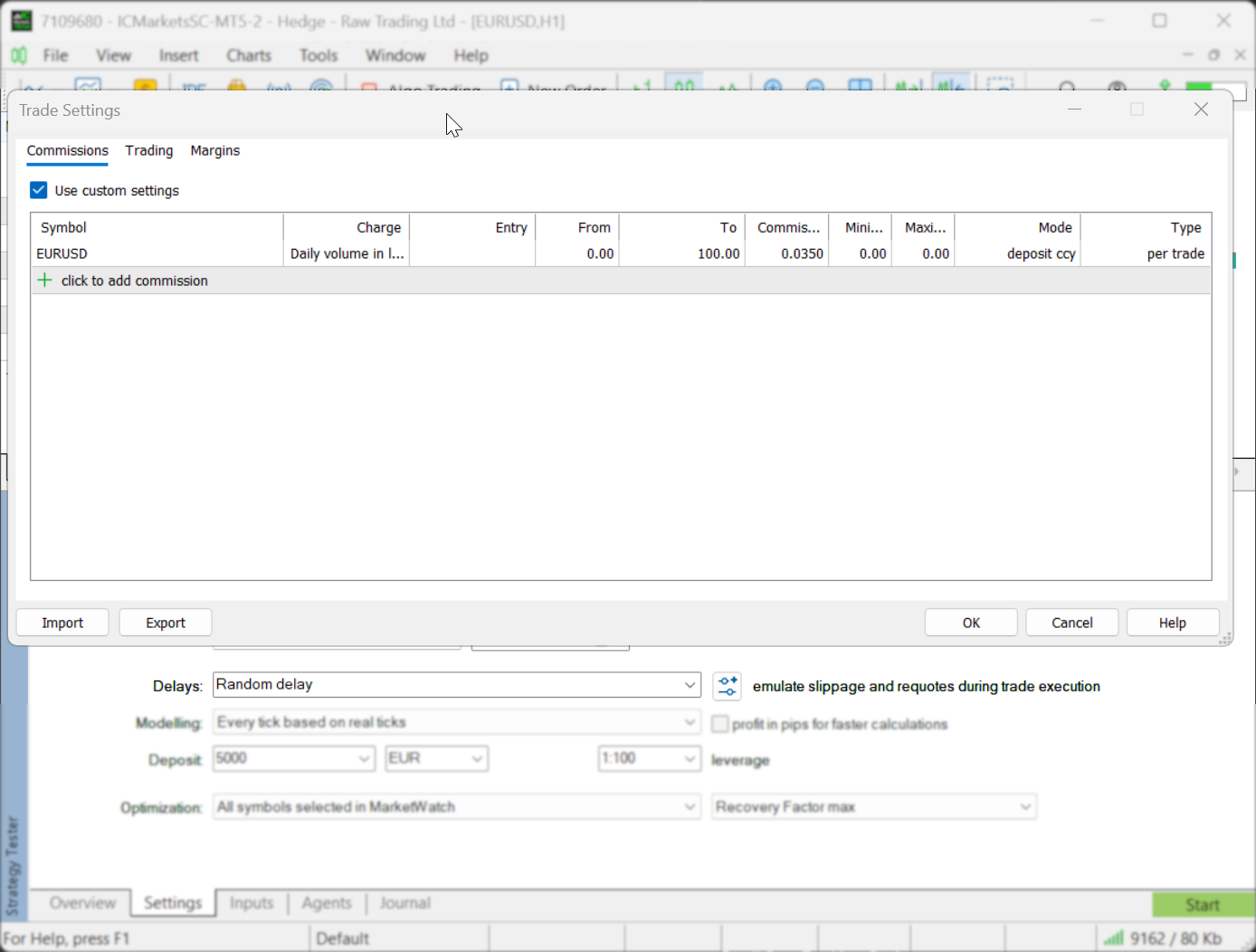 Most perfect backtests are just low-friction tests.
Spread
Most perfect backtests are just low-friction tests.
Spread
- Real ticks can include spread changes inside the minute.
- Generated ticks simplify price movement and can change scalping results.
- If live trading pays commission, the backtest must include it.
- Use fixed or random delay to test whether the edge survives slower fills.
- Delay applies to EA trade requests. Pending order execution happens server-side.
Run a backtest step by step
- Open Strategy Tester with Ctrl+R.
- Select EA, symbol, timeframe, and date range.
- Pick the modeling mode.
- Set deposit, leverage, commission, and execution delay.
- Run 1-4 weeks first to catch obvious logic problems.
- Use visual mode when trade behavior looks suspicious.
- Run the full real-tick test.
- Add a forward period for out-of-sample validation.
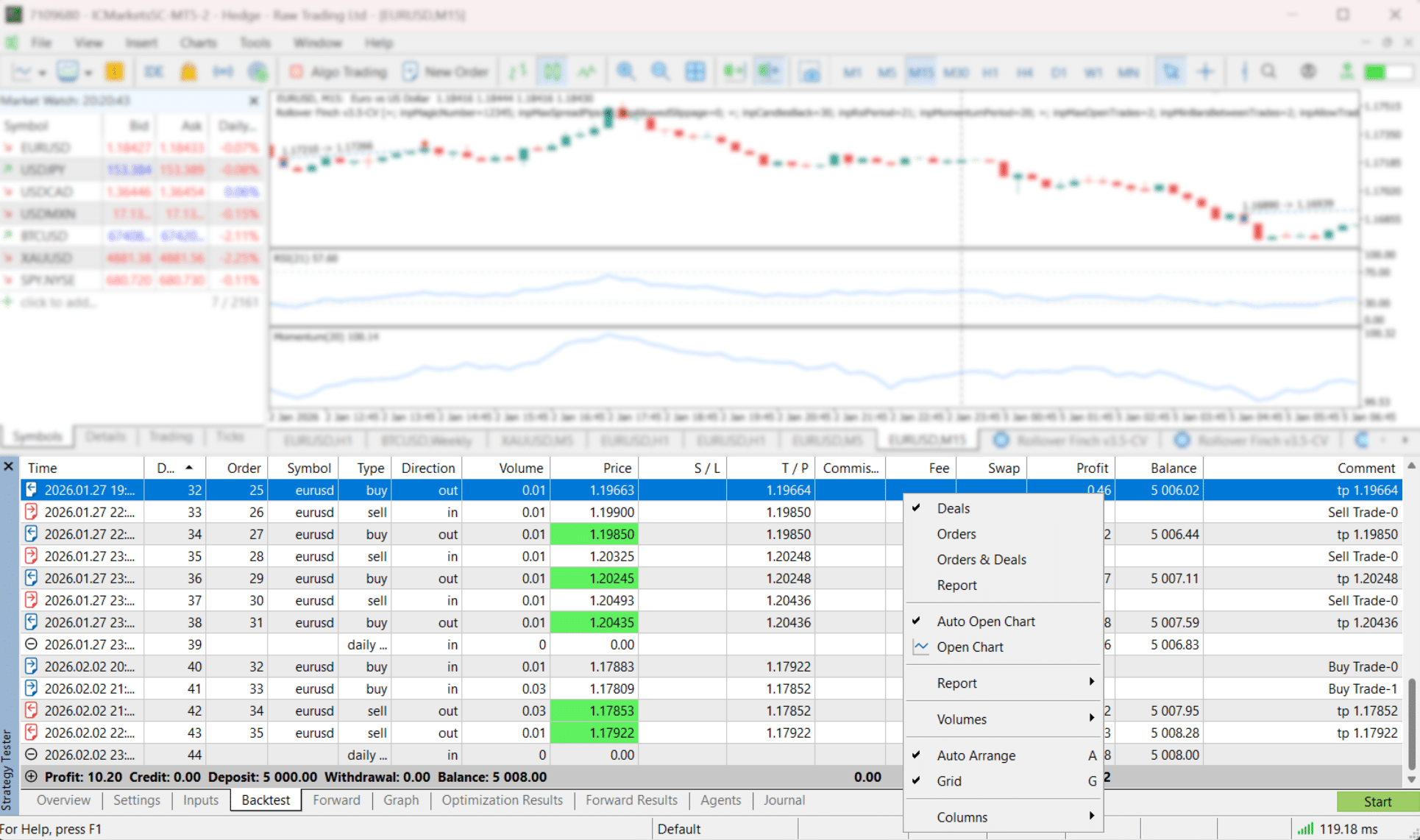
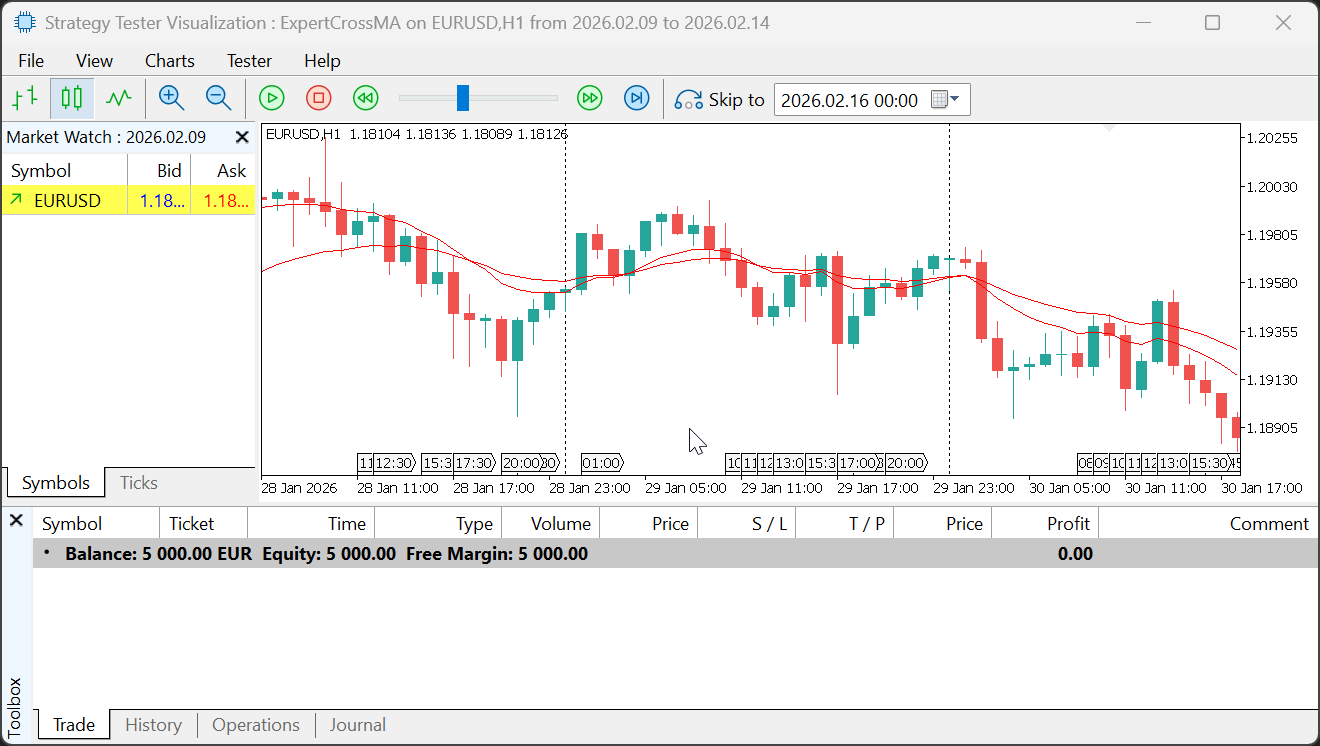 After a test, use Open Chart to see deals drawn on the chart. A saved
 tester.tpl template makes reviews faster.
Read the MT5 report without fooling yourself
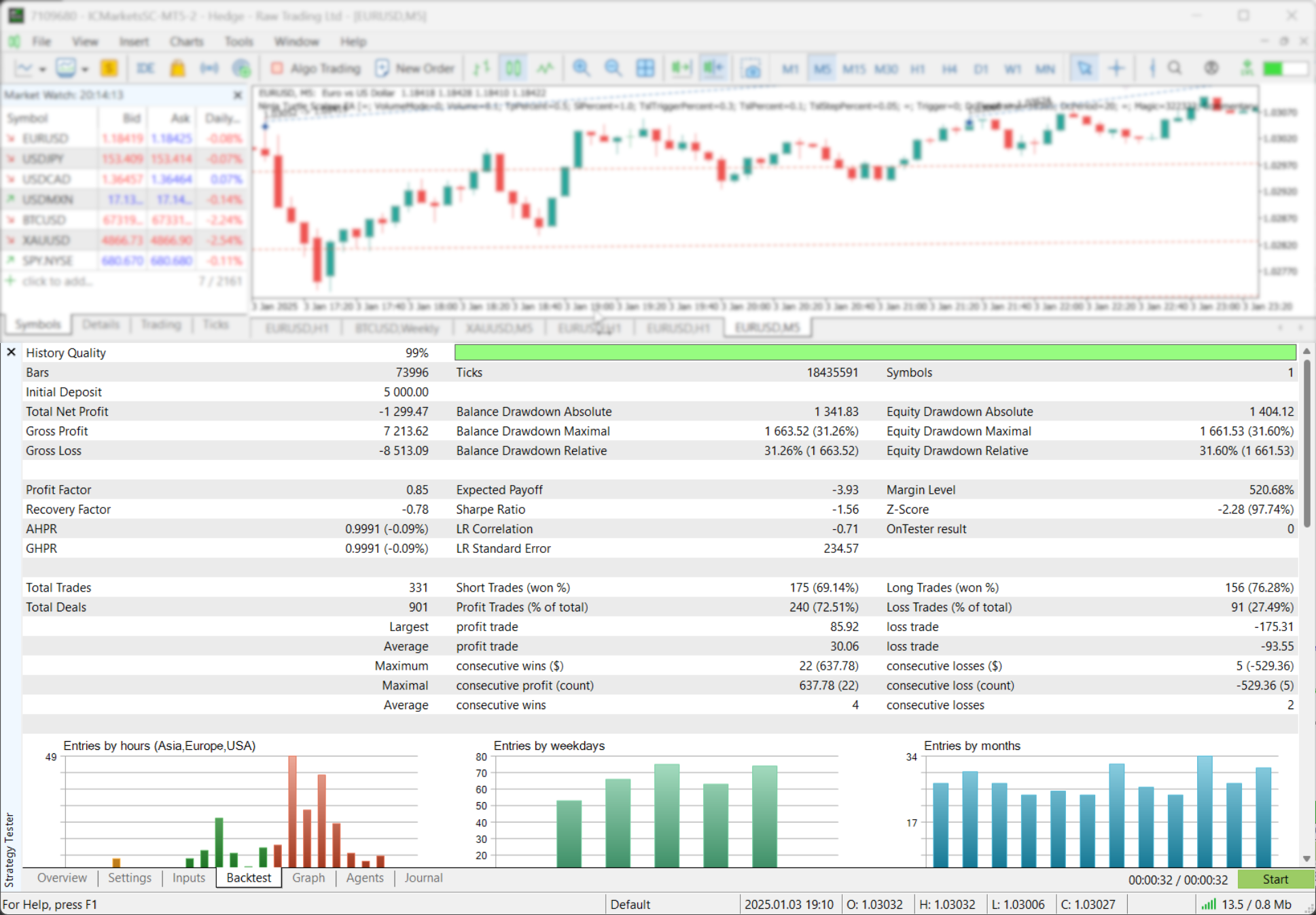
Start with the curve, not the profit.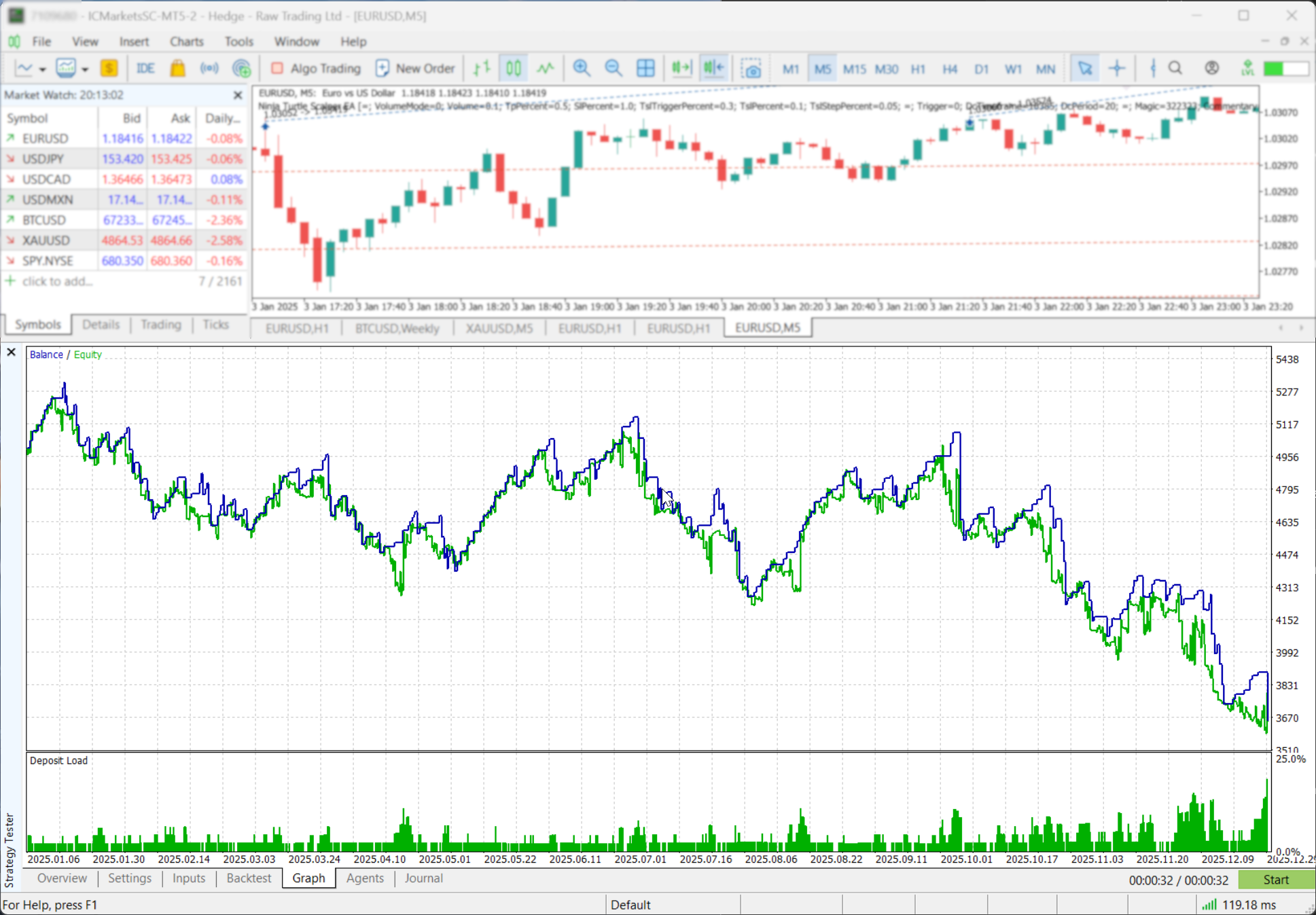 Check these first:
- History / modeling quality: confirms data integrity, not future profit.
- Drawdown: focus on the worst realistic drawdown number.
- Profit factor: gross profit divided by gross loss. Needs enough trades.
- Sample size: 30 trades is weak evidence. More trades are better.
- Timing: entries by hour, weekday, and month can reveal narrow dependencies.
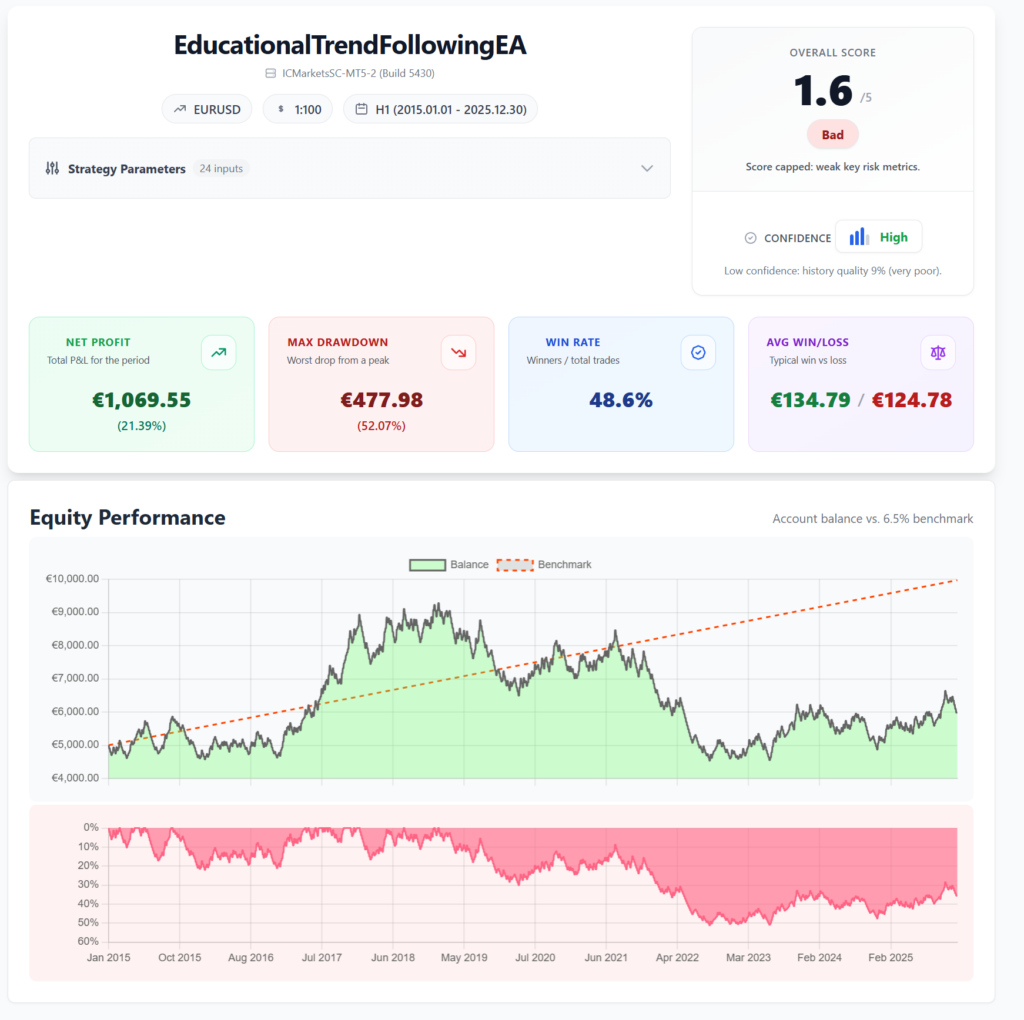
 For cleaner exports, use MT4/MT5 backtest reports that are actually readable.
Optimize without curve fitting
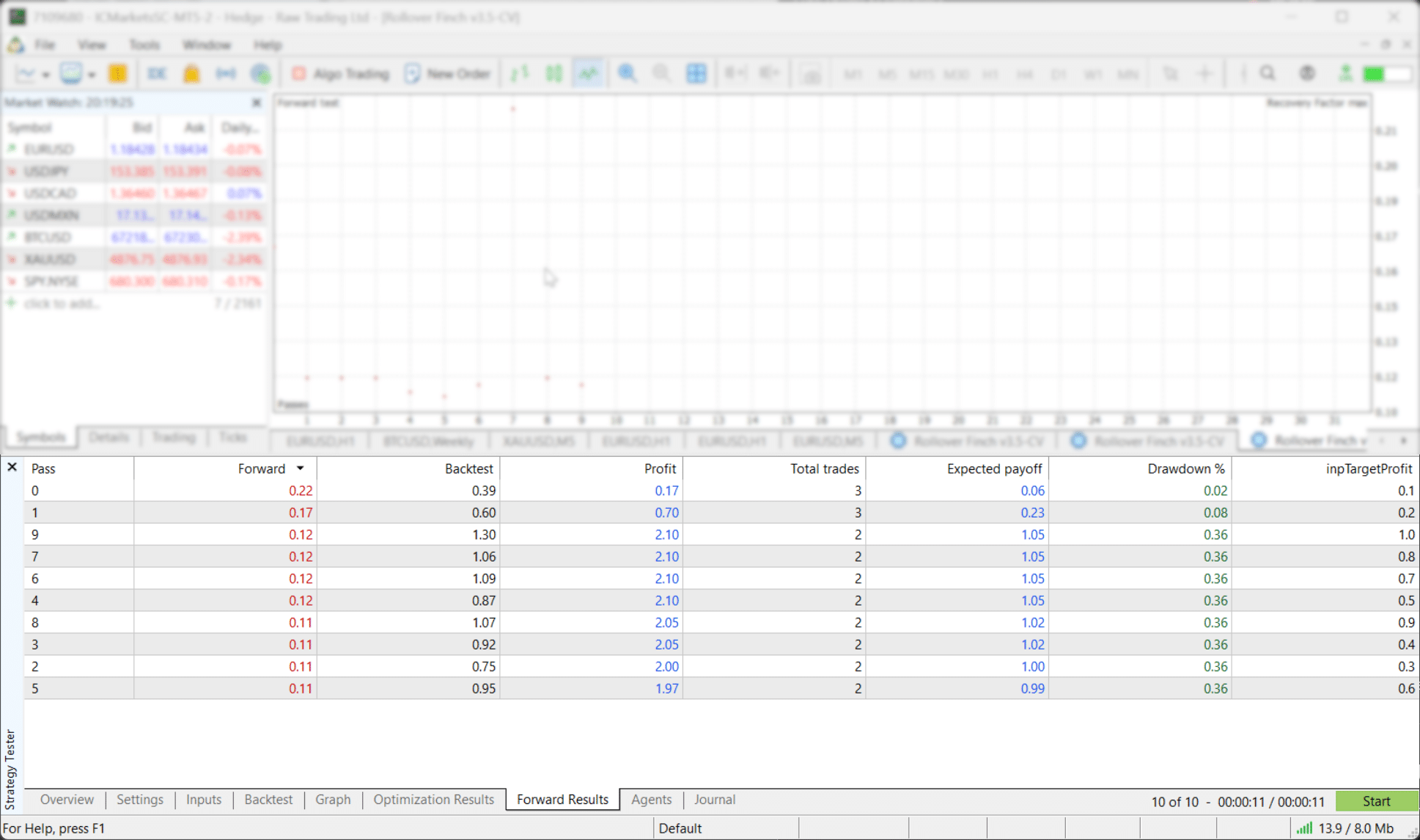
Optimization runs many parameter sets. That is useful. It is also how traders overfit.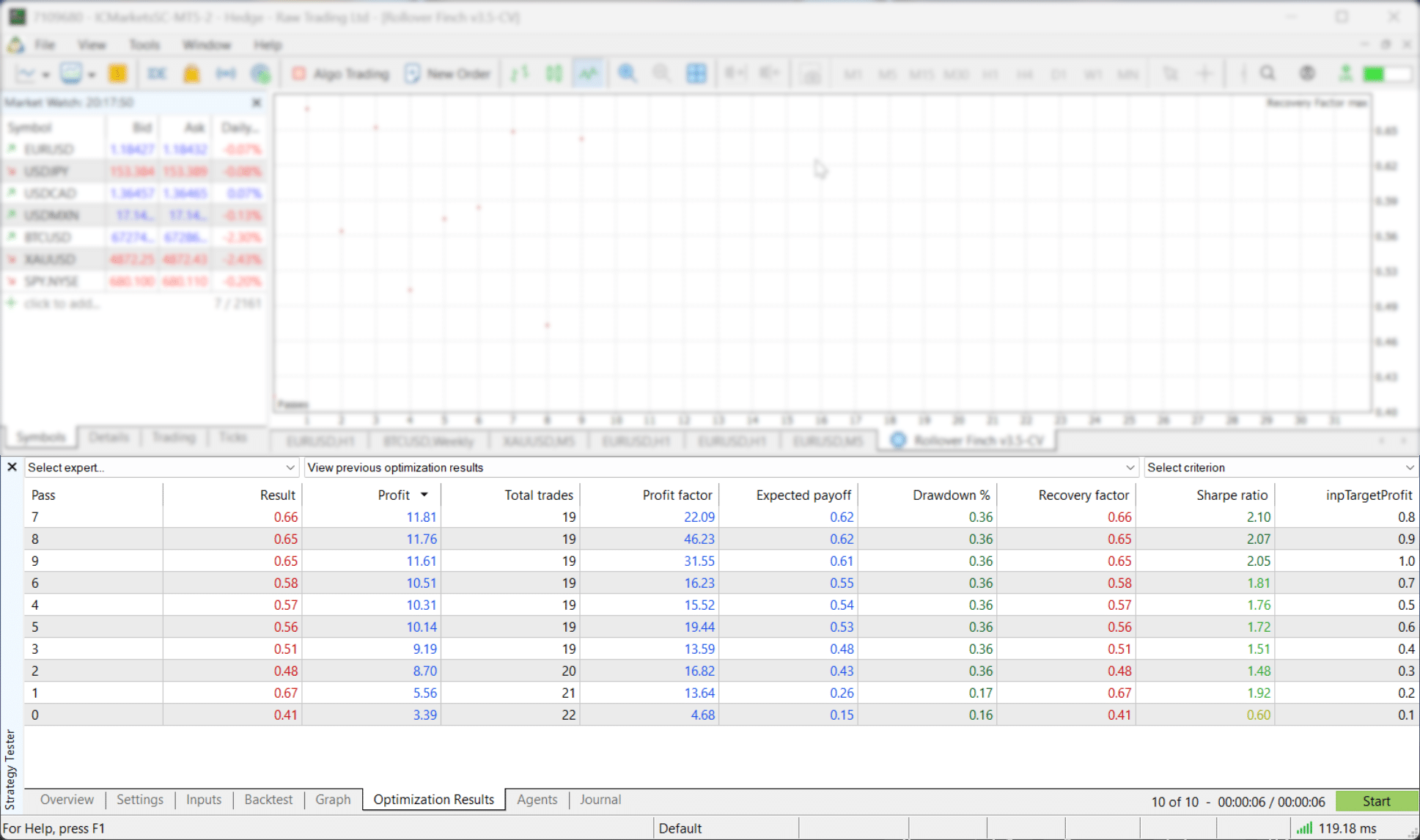
A simple weekly routine
- Fast short test to confirm logic.
- Visual test to inspect trade behavior.
- Long real-tick test for performance and drawdown.
- Forward period to check stability.
- Second symbol if the strategy should generalize.
- Tester shifted the start date. Fix: load more history and confirm the actual tested range.
- Final test used Open prices only. Fix: validate with real ticks.
- Costs were ignored. Fix: add commission, spread realism, swap, and delay.
- Multi-symbol EA behaved oddly. Fix: preload every symbol and enable it in Market Watch.
- Strategy Checklist keeps rules visible during visual review.
- MTF Triple Moving Averages and MTF Bollinger Bands help validate higher-timeframe filters.
- Scanners help find conditions across symbols faster.
- Equity Tracker MT5 sends Telegram and Discord monitoring alerts. It does not open or close trades.
External resources
- MetaTrader 5 Help: Strategy Testing
- MetaTrader 5 Help: Tick Generation
- MetaTrader 5 Help: Strategy Optimization
- MQL5: Testing trading strategies on real ticks
- StrategyQuant: Import Quant Data Manager data into MT5
- Tickstory: Import tick data into MT5
Final reminder: Backtesting is a filter, not a prophecy. Use it to remove weak ideas, then test survivors with real ticks, realistic costs, and forward validation.