
FXTT News Calendar MT5 – Free Economic Calendar Indicator
Version 1.00
March, 2026
Free MT5 News Calendar indicator with on-chart economic events panel, impact filters, currency filters, and vertical event lines. Trade with better timing around high-impact releases.
Trade News With Context, Not Guesswork
FXTT News Calendar MT5 is a free MetaTrader 5 indicator that puts high-impact economic events directly on your chart through a compact panel and vertical event lines. Instead of jumping between browser calendars and your execution platform, you can see what matters in one place and time your decisions with greater precision.
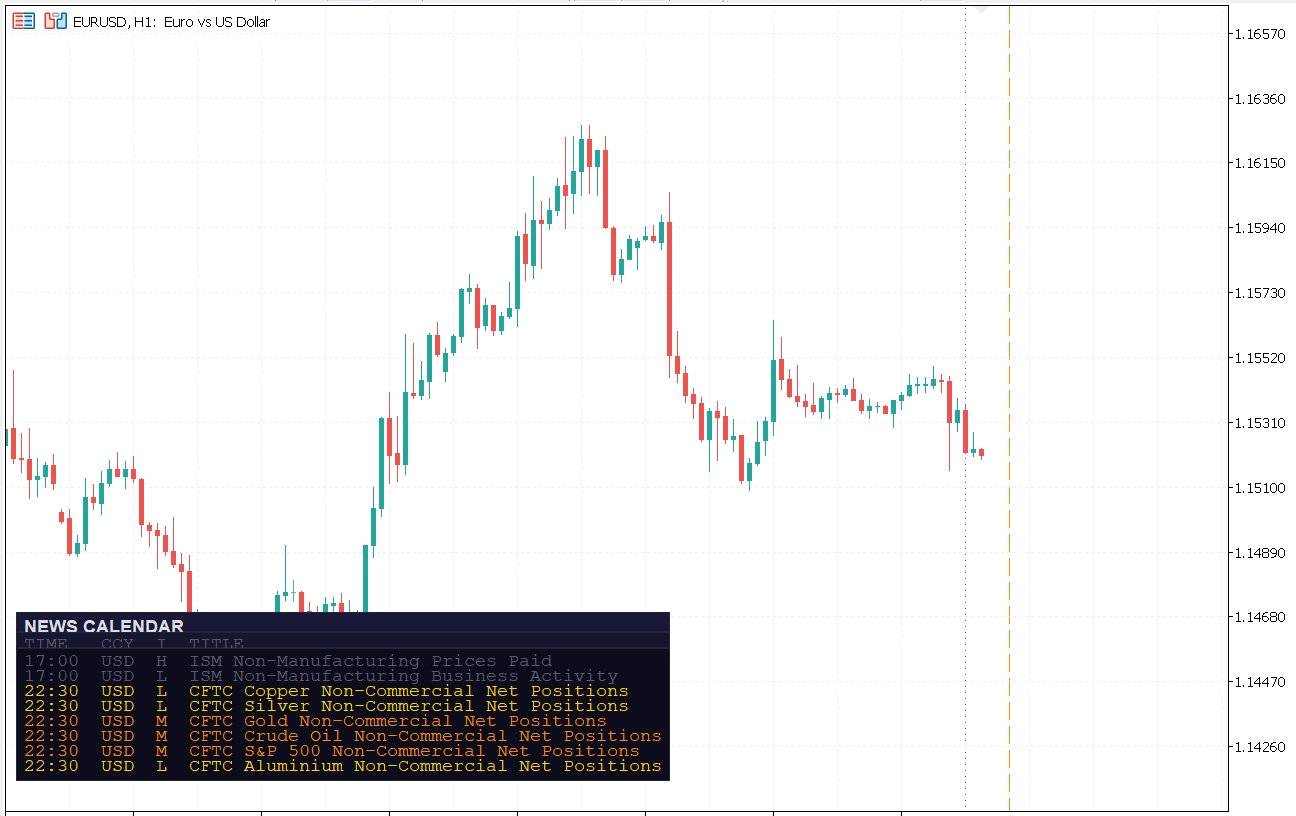
news calendar MT5 on a chart
What This News Calendar MT5 Indicator Does
- Displays upcoming and recent events in an on-chart panel.
- Draws color-coded vertical lines at event timestamps.
- Filters by currencies and minimum importance level.
- Refreshes automatically at configurable intervals.
- Keeps your chart readable with customizable layout and typography.
Core Features and Trading Benefits
| Feature | Benefit |
|---|---|
| Upcoming + historical event rows | See what is next and what just happened without leaving MT5. |
| Impact-based color coding | Prioritize high-impact releases quickly during active sessions. |
| Currency filtering | Focus only on events relevant to your symbols and strategy. |
| Vertical event markers | Align structure breaks, sweeps, and momentum shifts with macro catalysts. |
| Panel corner and offset controls | Fit the indicator into any existing chart workspace. |
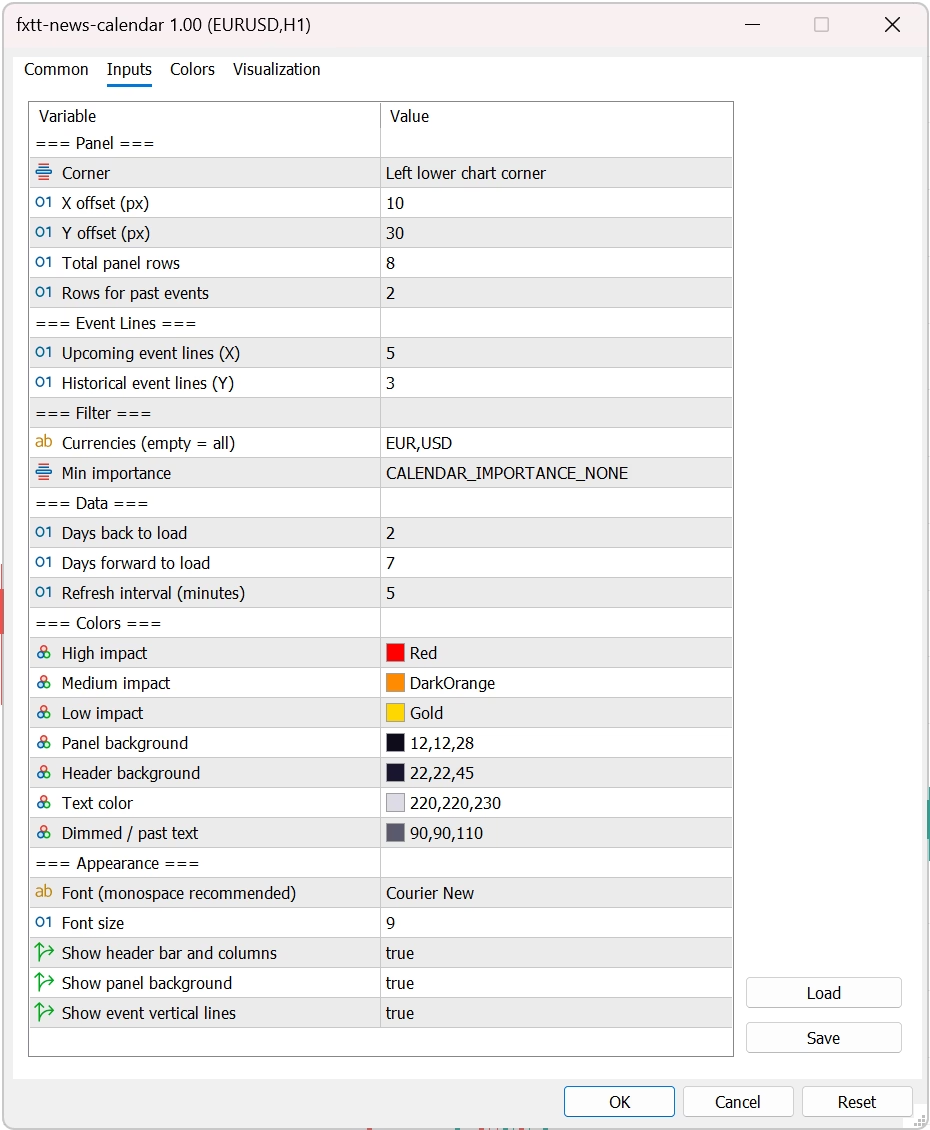
news calendar MT5 settings screen with filters and refresh controls
Who Should Use It
- Day traders avoiding fresh entries into red-folder volatility windows.
- Scalpers who need fast awareness of imminent macro releases.
- Swing traders validating directional setups against scheduled catalysts.
- System traders documenting how strategies behave around event clusters.
How It Improves Execution Quality
Most performance leaks come from timing, not from setup logic. Traders often enter too early before high-impact data, widen stops during unexpected spikes, or misread momentum that is purely event-driven. This indicator reduces that friction by making macro timing visible at the decision point. You can define no-trade windows before releases, pause automation around risky intervals, and structure post-event re-entry rules based on confirmation candles.
A practical workflow is simple: mark events, map risk, execute selectively, then review outcome quality. Over time, this process helps separate avoidable volatility losses from valid setup losses. That alone can improve consistency.
Suggested Workflow for News-Driven Sessions
- Pre-session planning: Filter to your active currencies and high-impact events.
- Risk mapping: Decide your no-trade window (example: 10 to 15 minutes before release).
- Execution phase: Only take setups that meet your volatility and spread thresholds.
- Post-event confirmation: Wait for structure confirmation instead of chasing first impulse candles.
- Review: Journal spread expansion, slippage, and setup quality before/after events.
This indicator pairs well with your existing structure tools and trend models. For more chart utilities, browse our free MT5 indicators.
Market Use Cases
On EURUSD and GBPUSD, event-line timing is useful for identifying whether a breakout is news-driven or purely technical. On XAUUSD, the same release can cause wider spread shocks and rapid reversals, so visibility before execution is even more important. On US indices and crypto CFDs, calendar awareness helps avoid entering at poor liquidity moments when price can gap through stops. In all cases, the goal is the same: reduce reactive decision-making and improve repeatability.
Risk Management Checklist Before High-Impact Events
- Confirm position size and max loss per trade before release time.
- Check current spread behavior and recent slippage in your broker feed.
- Avoid stacking correlated positions into the same macro catalyst.
- Use post-event structure confirmation if volatility is abnormal.
- Document execution quality so future sessions improve systematically.
Data Source and Reliability
FXTT News Calendar MT5 uses MetaTrader's native calendar ecosystem, which means event context is integrated where you trade. If you want technical details about the underlying data functions, see the official MQL5 Economic Calendar documentation.
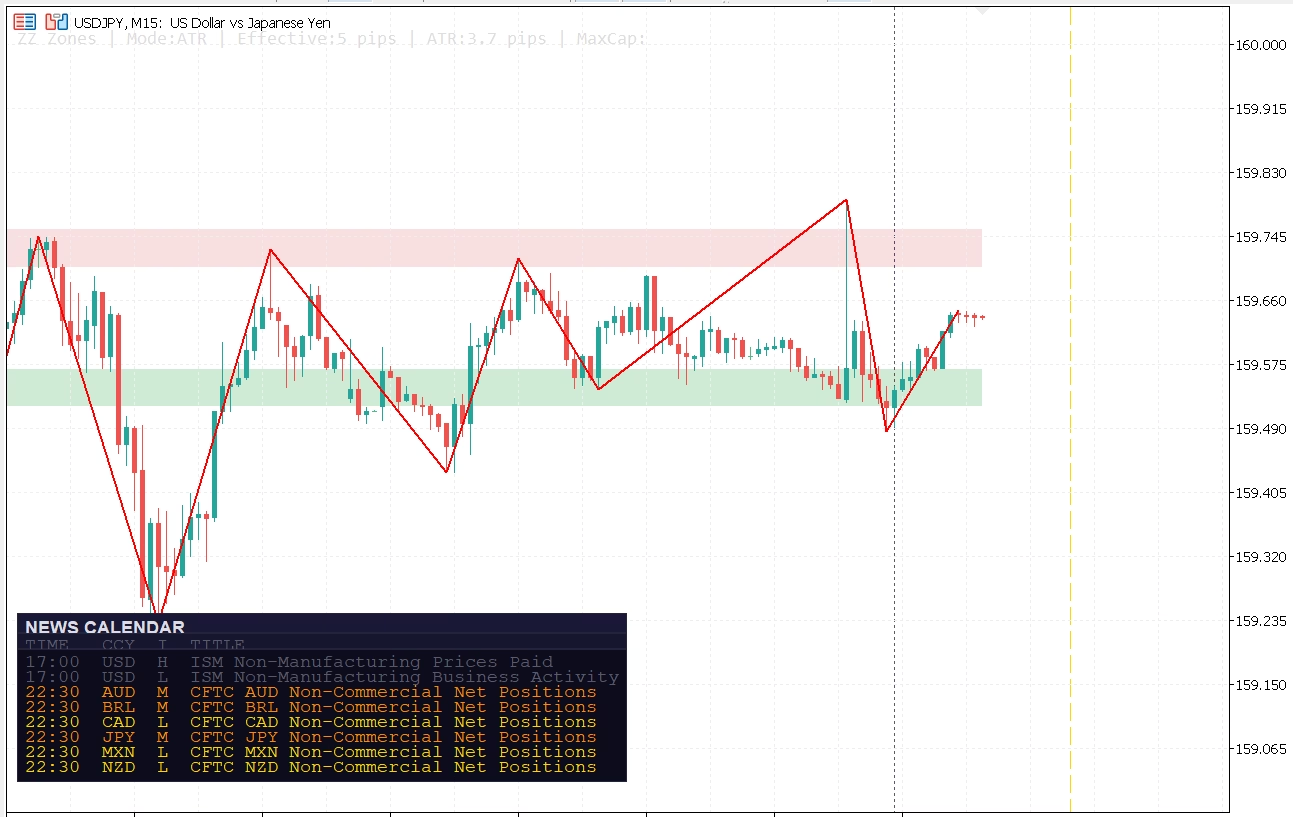
news calendar MT5 event lines aligned with breakout and retracement zones
Download FXTT News Calendar MT5 Free
Install in minutes and trade with stronger macro context directly on your chart. If you trade forex, metals, indices, or crypto CFDs on MT5, this indicator helps bridge technical analysis and scheduled fundamentals.
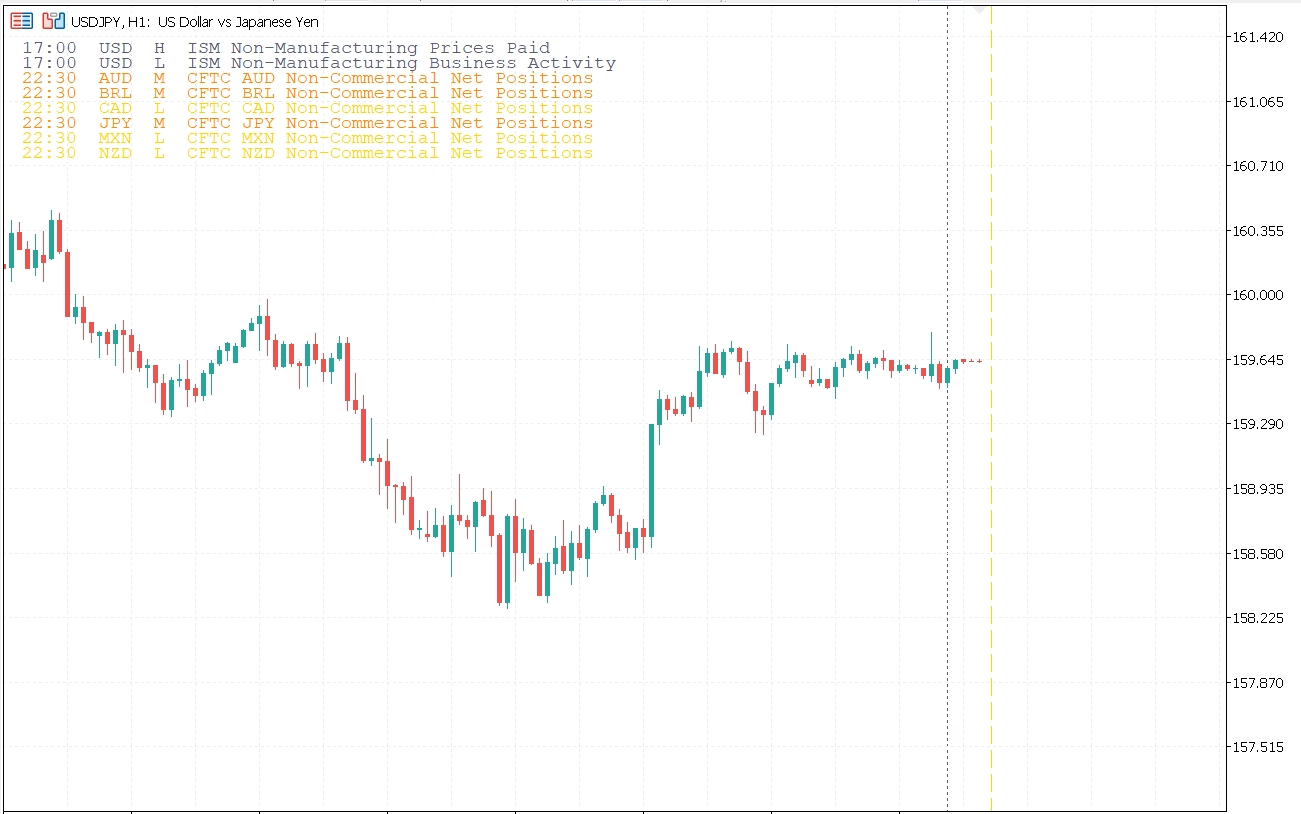
news calendar MT5 with a transparent background
Open Source and Transparent Development
Open source: View the GitHub repository here: FXTT News Calendar MT5 on GitHub
Installation Guide
[IMAGE PLACEHOLDER: Download button and ZIP package preview]
- Download the indicator ZIP from this page.
- Extract and copy
news-calendar.ex5. - In MT5, open File > Open Data Folder.
- Paste into
MQL5/Indicators. - Refresh Navigator and attach News Calendar to your chart.
Settings Reference
| Parameter | Default | Description |
|---|---|---|
InpCurrencies |
USD,EUR,GBP,JPY,AUD,CAD,CHF,NZD | Comma-separated currencies to track. |
InpMinImportance |
CALENDAR_IMPORTANCE_MODERATE | Minimum event importance shown in panel and lines. |
InpDaysBack |
2 | Historical days loaded from MT5 calendar. |
InpDaysForward |
7 | Future days loaded for planning. |
InpRefreshMins |
5 | Refresh cadence in minutes. |
FAQ
Does this indicator use MT5 native calendar data?
Yes. It reads from MetaTrader 5’s built-in economic calendar API.
Can I track only selected currencies?
Yes. Set InpCurrencies to values like USD,EUR for tighter relevance.
How do I reduce chart clutter?
Raise InpMinImportance and reduce InpUpcomingLines and InpHistoricalLines.
Changelog
v1.00 2026-03-31
- Initial release of FXTT News Calendar MT5.
- Added on-chart event panel with configurable rows and placement.
- Added impact-based and currency-based event filtering.
- Added upcoming and historical vertical event lines.
- Added configurable refresh interval and visual appearance options.
Images Gallery
fxtt-news-calendar-mt5
news calendar MT5 on a chart
fxtt-news-calendar-mt5-settings
news calendar MT5 settings screen with filters and refresh controls
fxtt-news-calendar-mt5-with-zigzag-zones
news calendar MT5 event lines aligned with breakout and retracement zones
fxtt-news-calendar-mt5-with-transparent
news calendar MT5 with a transparent background
Reviews
There are no reviews yet.