
Free MT5 Pivot Points Indicator – FXTT Pivot Points
1.0
March, 2026
Free open-source MT5 Pivot Points Indicator for MetaTrader 5. Plot Classic, Fibonacci, Camarilla, Woodie, and DeMark pivot levels on Daily, Weekly, or Monthly periods with full style controls.
Free MT5 Pivot Points Indicator for MetaTrader 5
The FXTT Pivot Points tool is a free and open-source utility for traders who want cleaner structure on MT5 charts. This MT5 Pivot Points Indicator automatically plots key levels that many traders use to frame market direction, map reaction zones, and plan entries or exits around objective price references instead of guesswork.
Open source: View the GitHub repository here: github.com/ForexTradingTools/fxtt-mt5-pivot-points
You can also discover related tools in our MT5 Indicators category.

Fxtt Pivot Points Indicator for MT5
Supported Pivot Methods
FXTT includes five popular calculation styles so you can choose the model that best matches your strategy:
- Classic: widely used baseline for support and resistance planning.
- Fibonacci: suitable for traders who combine retracement logic with session structure.
- Camarilla: often preferred in mean-reversion and intraday reversal setups.
- Woodie: emphasizes close price weighting for an alternative session read.
- DeMark: simplified level model for directional bias and trigger zones.
Timeframe Flexibility for Different Trading Styles
The indicator supports Daily, Weekly, and Monthly pivots. This makes it adaptable for short-term and swing workflows:
- Use Daily pivots for intraday context and session-to-session planning.
- Use Weekly pivots for balanced structure when holding trades longer.
- Use Monthly pivots for broader trend context and macro level mapping.
Because these settings are available from Inputs, you can test a consistent routine across symbols without changing your core process.
Chart Clarity and Customization
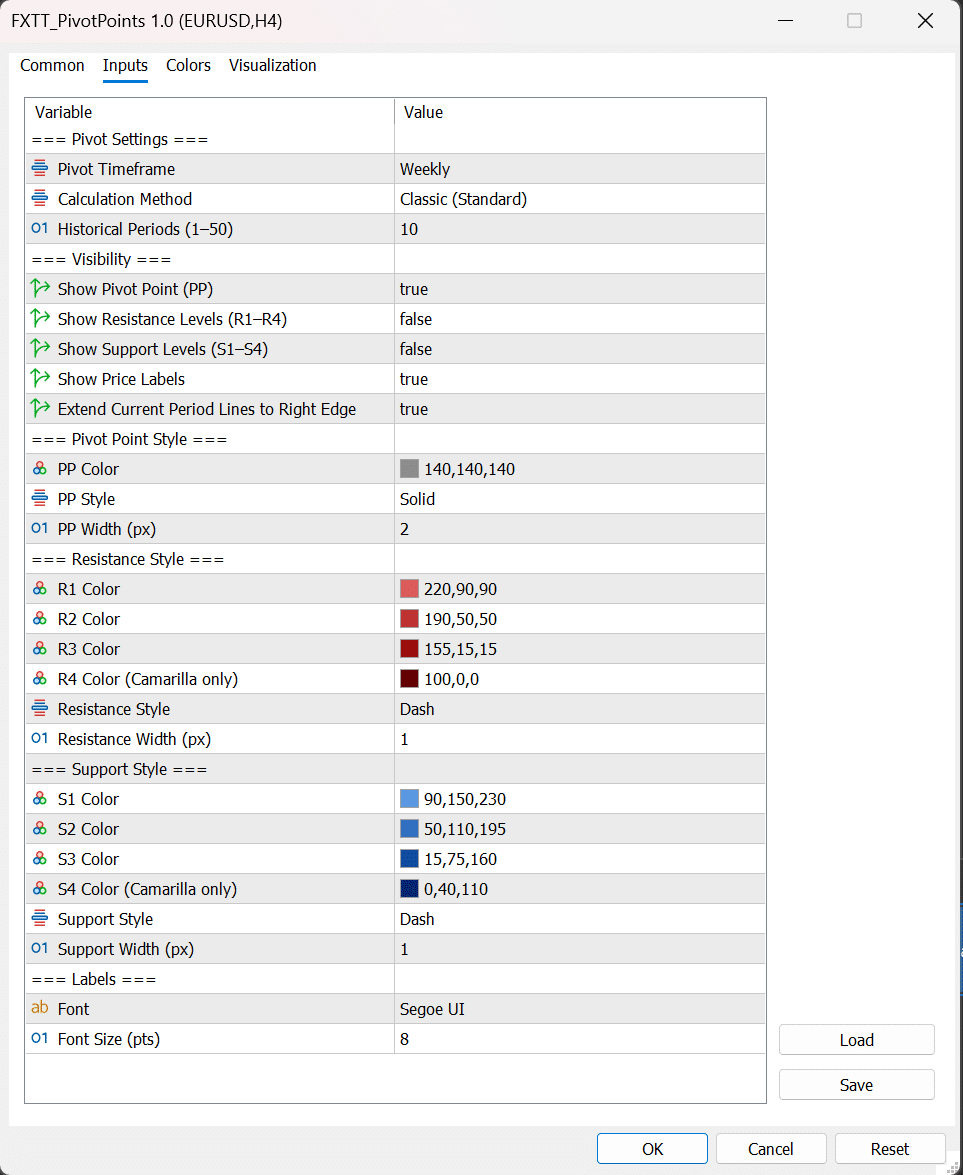
A key advantage of this indicator is control over visual clarity. You can show or hide central pivot, resistance group, support group, and labels independently. You can also tune line colors, styles, and widths so levels are visible without overwhelming your chart template.
This matters when you are monitoring multiple charts quickly. A clear visual hierarchy helps reduce reaction time and keeps your analysis repeatable, especially during volatile sessions.
Practical Trading Use Cases
Traders commonly apply pivot levels in three practical ways:
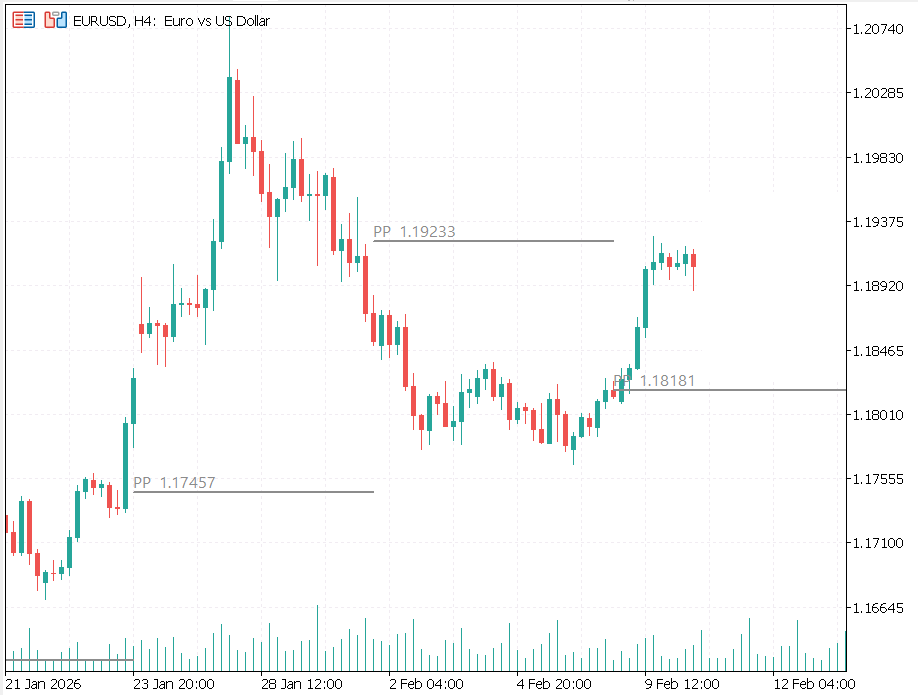
- Rejection setups: watch for price reaction around PP, R1, or S1 with confirmation candles.
- Breakout continuation: evaluate strength when price closes through resistance or support.
- Target planning: use pivot levels as structured zones for partial exits and risk-to-reward planning.
When combined with your own filters such as trend bias, volatility, or session timing, pivot levels become a consistent decision framework rather than a standalone signal.
Pivot-Points-Breakout-Example
Open Source and Built for Process-Driven Traders
Because the project is open source, traders and developers can inspect implementation details, verify logic, and adapt behavior to their own workflow. This transparency is valuable if you maintain strategy documentation, share setups with a team, or want to extend features in the future.
The indicator is free to use, quick to configure, and suitable for both discretionary and system-oriented chart analysis. Install it once, standardize your preferred method, and keep your level mapping consistent across markets and timeframes.
Download, apply, and test it in your normal routine with proper risk management and broker-specific execution constraints.
Installation Guide
Install the free FXTT Pivot Points indicator on MetaTrader 5 in a few minutes.
- Download the indicator archive from the product download section.
- Open MetaTrader 5 and go to
File -> Open Data Folder. - Navigate to
MQL5/Indicators/FXTT/Pivot Points/. - Copy
FXTT_PivotPoints.mq5(or compiled.ex5) into that folder. - Restart MT5 or refresh the Navigator, then drag the indicator onto your chart.

Default setup uses Weekly pivots. You can switch to Daily or Monthly in Inputs.
Settings Reference
Use the parameters below to adapt the indicator to your strategy and chart style.
| Parameter | Type | Default | Description |
|---|---|---|---|
InpPivotTF |
enum | Weekly | Pivot timeframe: Daily, Weekly, or Monthly. |
InpMethod |
enum | Classic | Calculation method: Classic, Fibonacci, Camarilla, Woodie, DeMark. |
InpLookback |
int | 3 | Number of historical periods to draw (1-50). |
InpShowPP |
bool | true | Show/hide the central pivot point line. |
InpShowResistance |
bool | true | Show/hide resistance levels (R1-R4 when available). |
InpShowSupport |
bool | true | Show/hide support levels (S1-S4 when available). |
InpShowLabels |
bool | true | Display level labels directly on the chart. |
InpExtendRight |
bool | true | Extend current-period levels to the right chart edge. |
InpStylePP / InpWidthPP |
style/int | Solid / 2 | Main pivot line style and thickness. |
InpStyleR / InpWidthR |
style/int | Dash / 1 | Resistance line style and thickness. |
InpStyleS / InpWidthS |
style/int | Dash / 1 | Support line style and thickness. |
InpLabelFont / InpLabelSize |
string/int | Segoe UI / 8 | Label font family and point size. |
FAQ
Does this indicator repaint historical pivot levels?
No. Pivot levels are calculated from completed prior periods and remain stable for backtesting and chart review.
Which pivot method should I use?
Classic is a strong default for broad use. Camarilla is popular for mean reversion, while Fibonacci is often used for momentum continuation zones.
Can I use this indicator for scalping and swing trading?
Yes. Choose Daily pivots for intraday detail, Weekly for balanced context, and Monthly for broader swing structure.
Is the source code available?
Yes. This product is open source on GitHub at github.com/ForexTradingTools/fxtt-mt5-pivot-points.
Changelog
v1.0 2026-03-29
- Initial public release of FXTT Pivot Points for MT5.
- Added five pivot methods: Classic, Fibonacci, Camarilla, Woodie, and DeMark.
- Added Daily, Weekly, and Monthly timeframe options.
- Added level visibility controls, label controls, and line style customization.
Images Gallery
Fxtt Pivot Points Indicator for MT5
Fxtt Pivot Points Indicator for MT5
Pivot Points Breakout Example
Pivot-Points-Breakout-Example
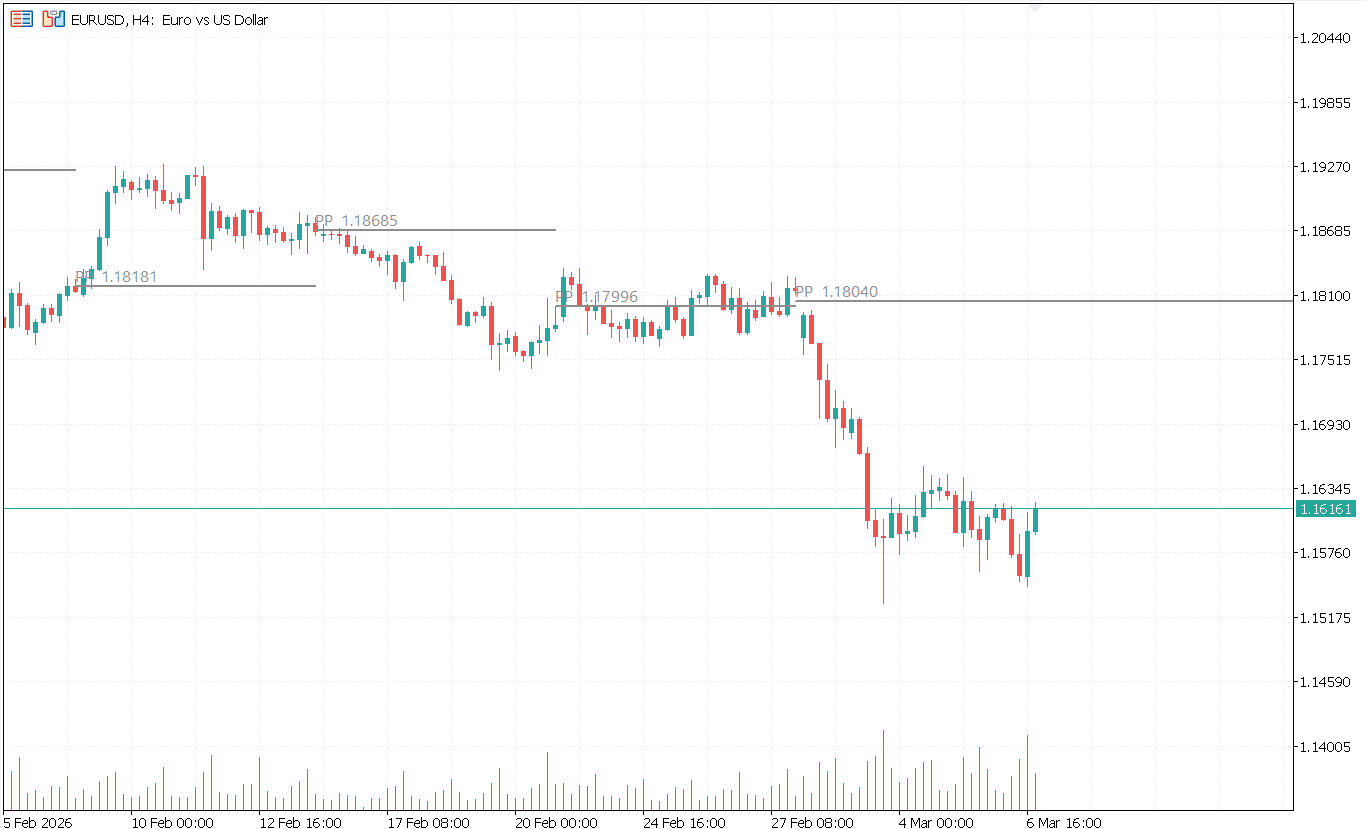
pivot points screnshot
pivot points screnshot
pivot points settings
pivot points settings
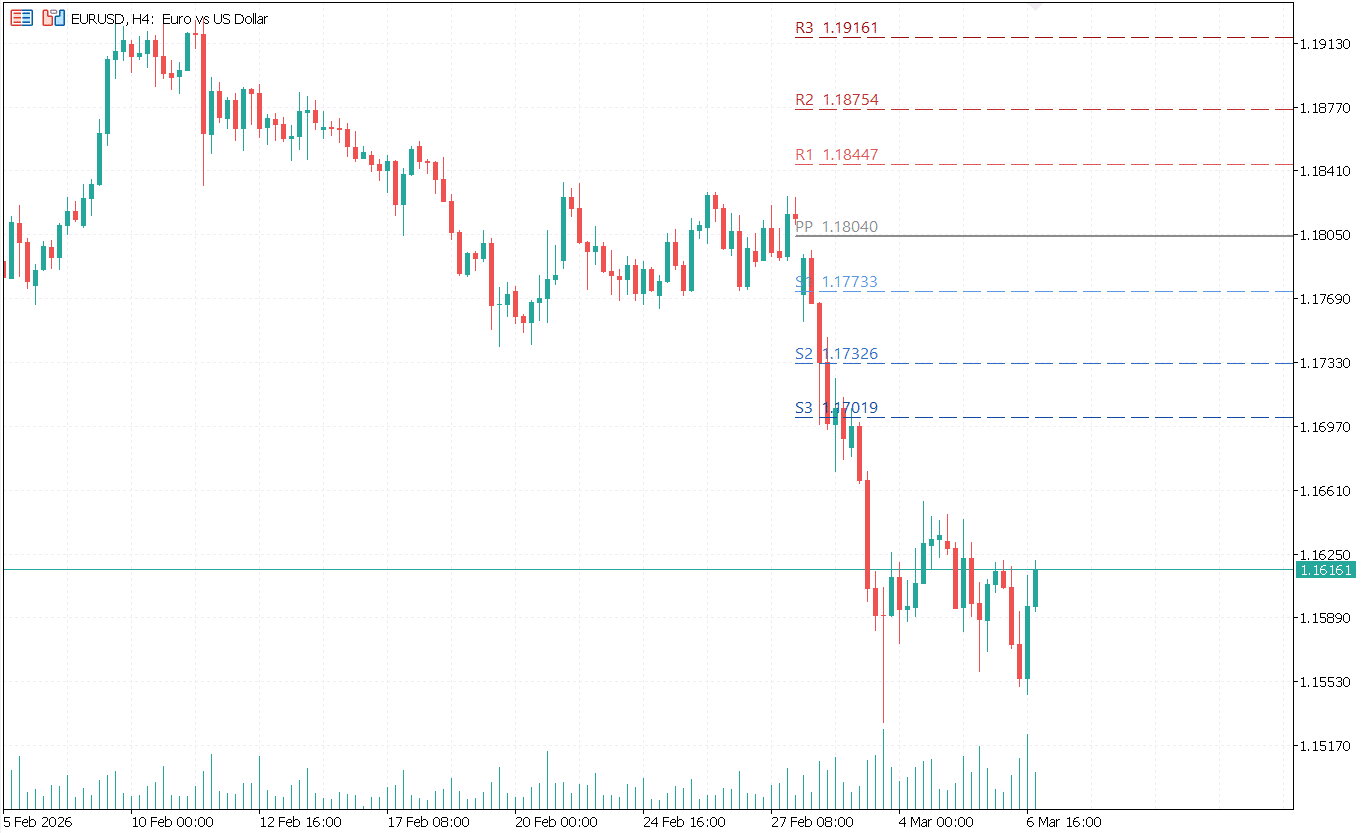
pivot points screnshot
pivot points screnshot
Reviews
There are no reviews yet.